How an event should really run
A wide stage screen, speakers who join from anywhere and an operator with a phone. For a conference, a wedding or a company evening in a rented venue, with little more than a browser, an Android TV box or a Raspberry Pi.
The Wunderframe team 8 min read
Think of the opening of a good event. The wide screen behind the stage shows the title of the day. As the first speaker walks on, their name, photo and talk title come up. The second speaker joins from another city and is simply there, framed like everyone else. When the keynote runs ten minutes over, the screens in the lobby know it: the countdown for the next talk waits instead of counting down to a talk that hasn’t started yet.
For a long time that took an AV crew and a rack of equipment, so it stayed with the big conferences. It doesn’t have to any more. The same evening now runs on the screen or projector the venue already has, a small player on its input and a phone in your pocket. That makes it realistic for the events most people actually organize: a company meeting in a hotel, a wedding in a rented hall, a club’s annual evening, an association’s conference in a seminar center.
What you need on site
A screen or a projector, and something to play on it. In Wunderframe that screen is a stage, with a canvas of any size: a 1920×1080 projector, a portrait screen by the entrance, or a 3840×1080 bar behind the stage. The player on its input can be:
- a browser on the laptop that is connected to the projector anyway;
- an Android TV box (Android TV);
- a Raspberry Pi (Raspberry Pi);
- or a small PC or Mac with the desktop app.
You pair each one once with the six-letter code it shows. On a wall of several panels, every panel has its own player and they keep in step (Walls and synced screens). Screens keep their program on the device and play on through a network drop. Why an old box is often enough is in our post on Android TV boxes and Raspberry Pis.
To be clear about what this replaces: Wunderframe does not replace a screen, an LED wall or its processor. It replaces the switcher, the playback machine and the graphics workstation in front of it.
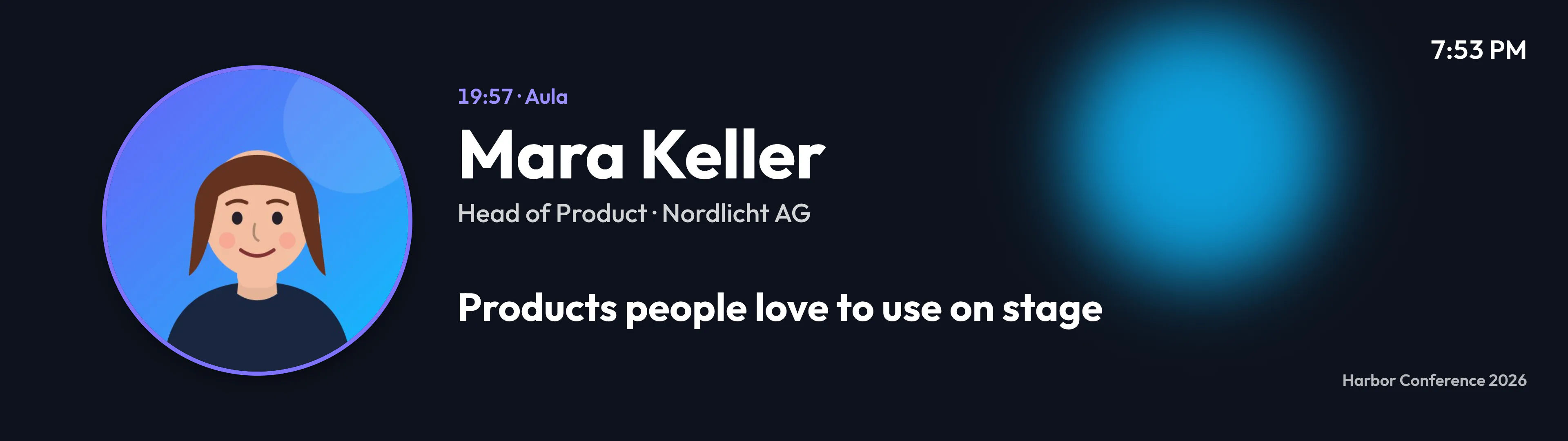
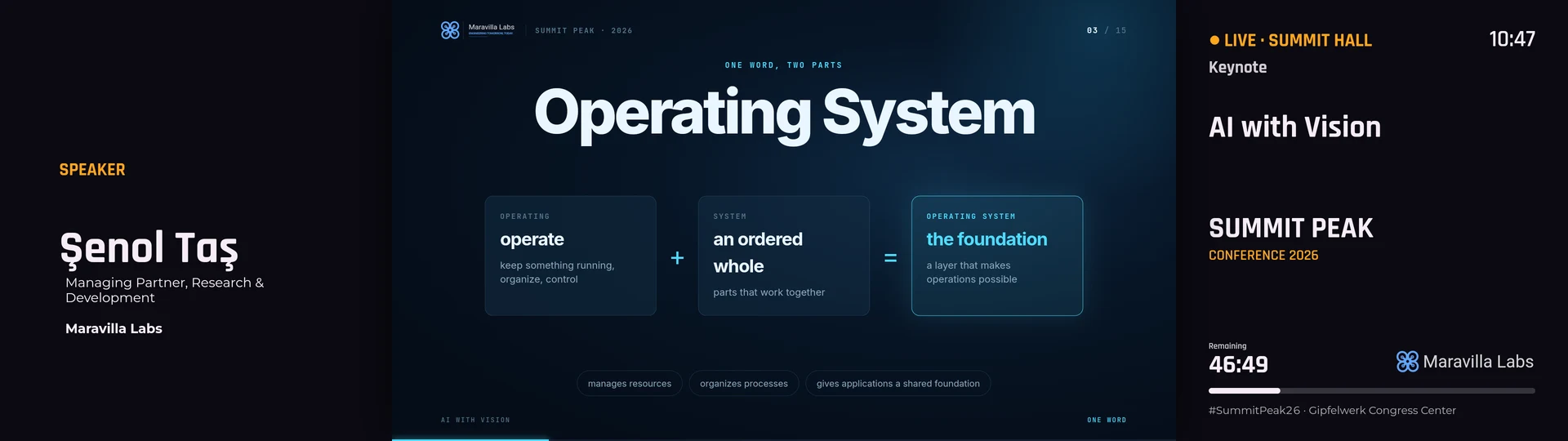
A speaker intro on a 3840×1080 stage. The name, role, room, time and title all come from the program.
Designed intros and countdowns, straight from the program
Your program is data: sessions with times, rooms, titles and speakers, and speakers with a name, a role, an organization and a photo (see Your program). You design one intro slide with blanks such as {speaker}, {speaker_title}, {organization}, {photo}, {title} and {time}. Every session fills it in with its own values.
Nobody retypes names into a graphics template, and a change to the program updates the next intro. An Up next slide works the same way, with a countdown aimed at the stage’s next session. At a wedding the sessions may be the speeches, the first dance and the cake; the slide doesn’t care.
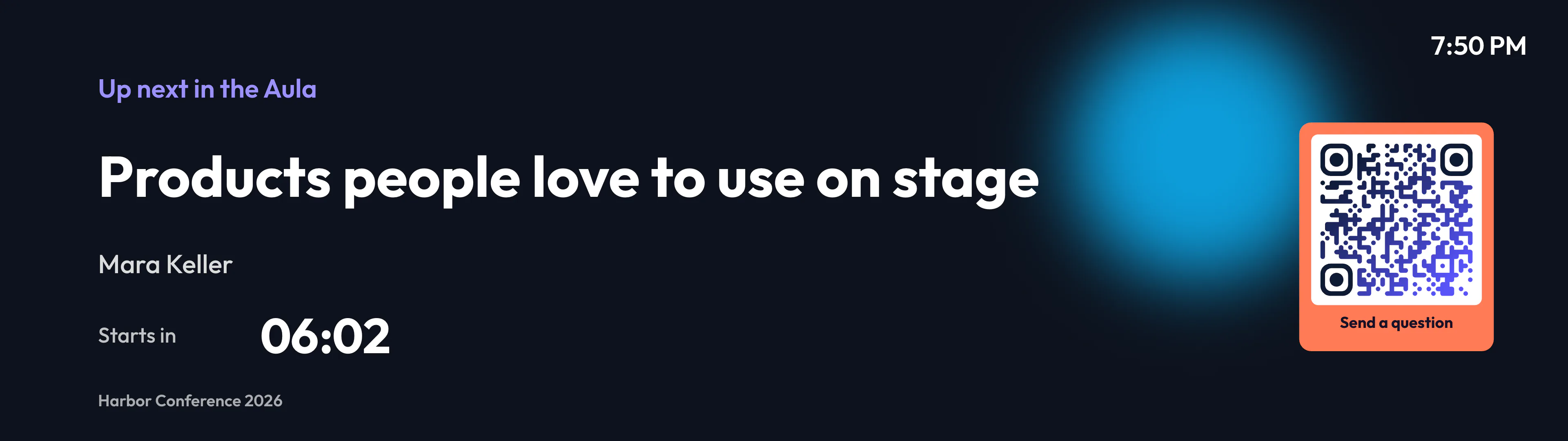
Up next, with a countdown and a QR code for questions. The countdown follows the sessions, not a fixed clock.
Speakers join from anywhere, without swapping cables
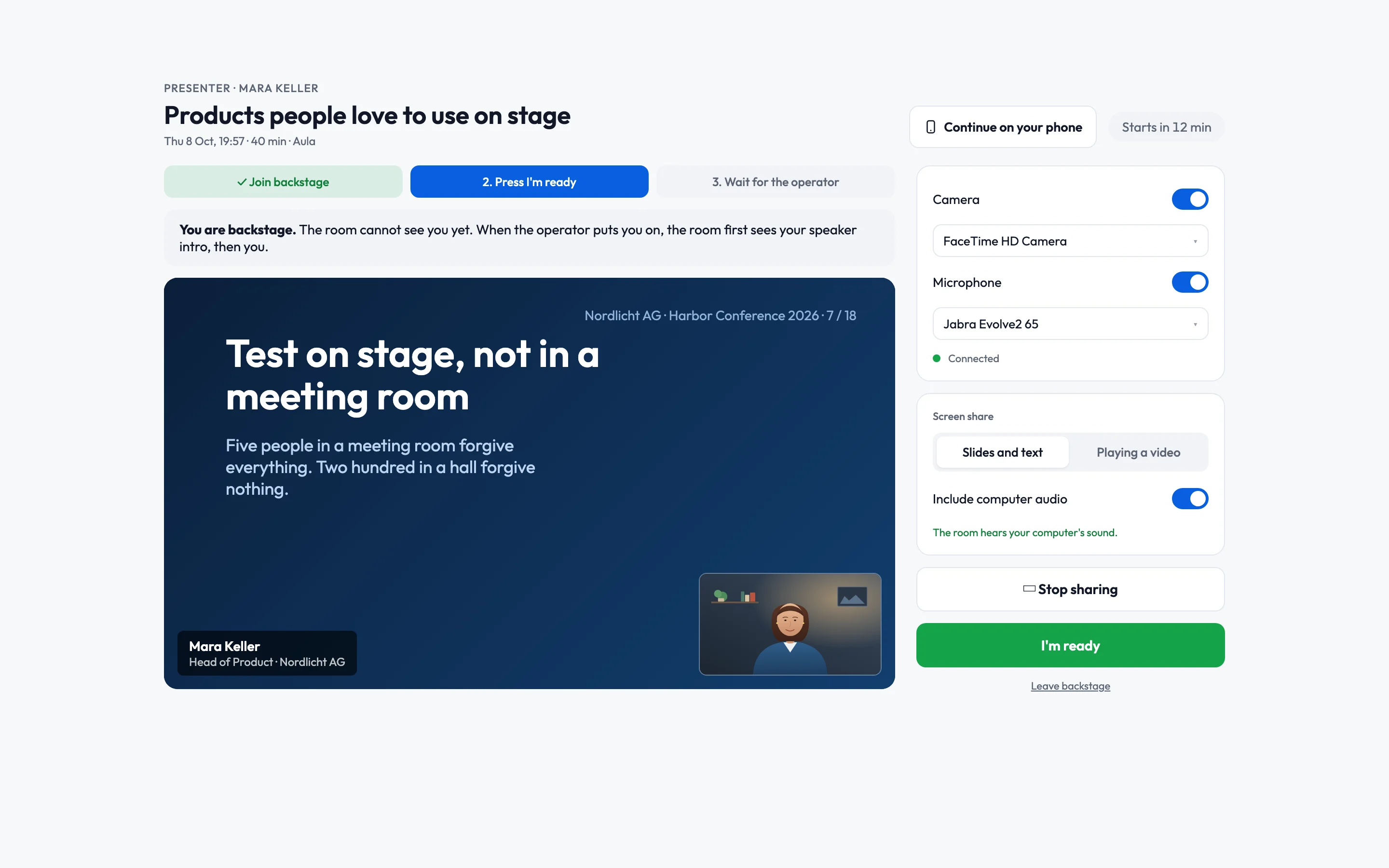
Every presenter gets a personal link, with no account and no app. It opens a page with a camera and microphone check, a level meter and a button to test their screen share. Then they join backstage and press I’m ready. Their slides reach the screen from their own laptop through the browser, so nothing has to be plugged in at the lectern between talks and there is no HDMI handshake to fail.
A speaker in another city opens the same kind of link. To the room they are a presenter like the one at the lectern: same slide, same lower third, same Take. There is no separate video call to capture. What the room sees is set per session: the camera, the shared screen, or the screen with a small camera picture on it. Nothing from backstage reaches a screen until the session is live.
Rehearsal uses the same link: plan a slot a week before, or press Rehearse now while the speaker is on the phone with you. Remote speaking still depends on the network, and we don’t pretend otherwise. The video uses WebRTC, which needs outgoing UDP from the venue, and a bad microphone at the other end still sounds bad. But if a screen loses the connection to a live session, it plays the room’s loop instead of going black.
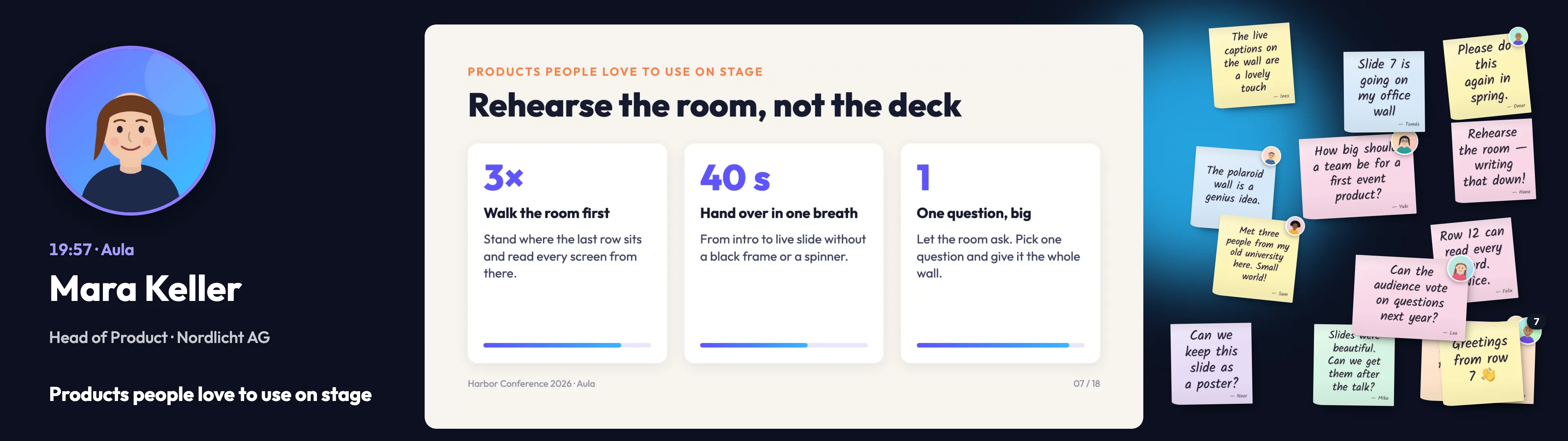
One design for the whole wide screen, filled from the session. The slide in the middle is the presenter's shared screen, sent from her own laptop.
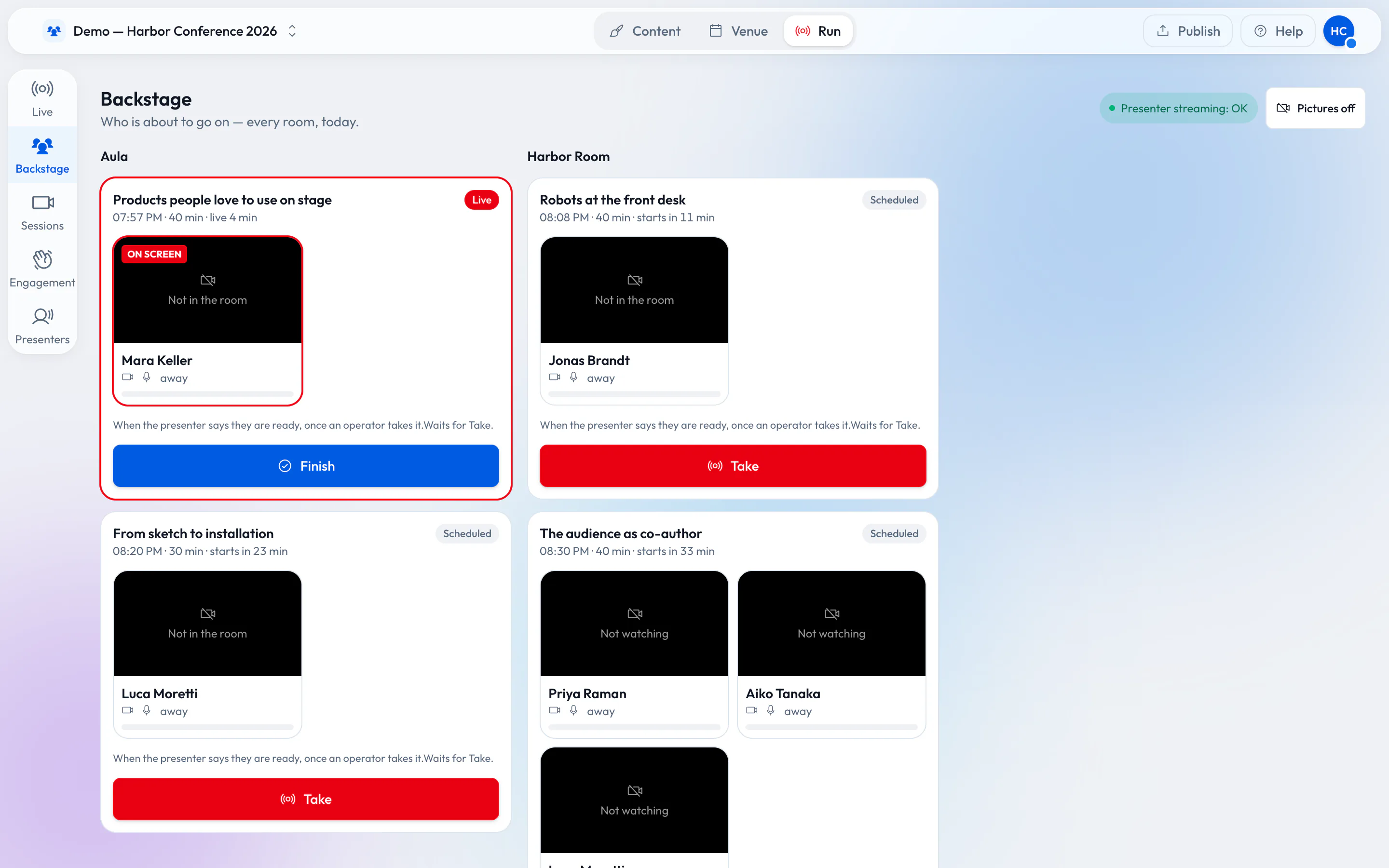
Backstage: every room’s sessions today, who is on and who is ready.
The operator on a phone
The Live desk shows every stage with what it plays and why. On a phone it turns into GO mode: Back and a large GO for the show, a strip of rooms, and for each room a sheet with Put presenter on, Session finished, Back to schedule and Black. You take a scene by hand and release the screen back to its schedule when you are done. Blackout has to be armed, and on a touch screen you hold it for a second, so a pocket can’t fire it.
Timed cues are fired by the server, so closing the laptop or losing the phone doesn’t stop them. A status line says when the desk may be behind, so the operator knows when to look at the room before pressing GO. More in Schedule and go live.
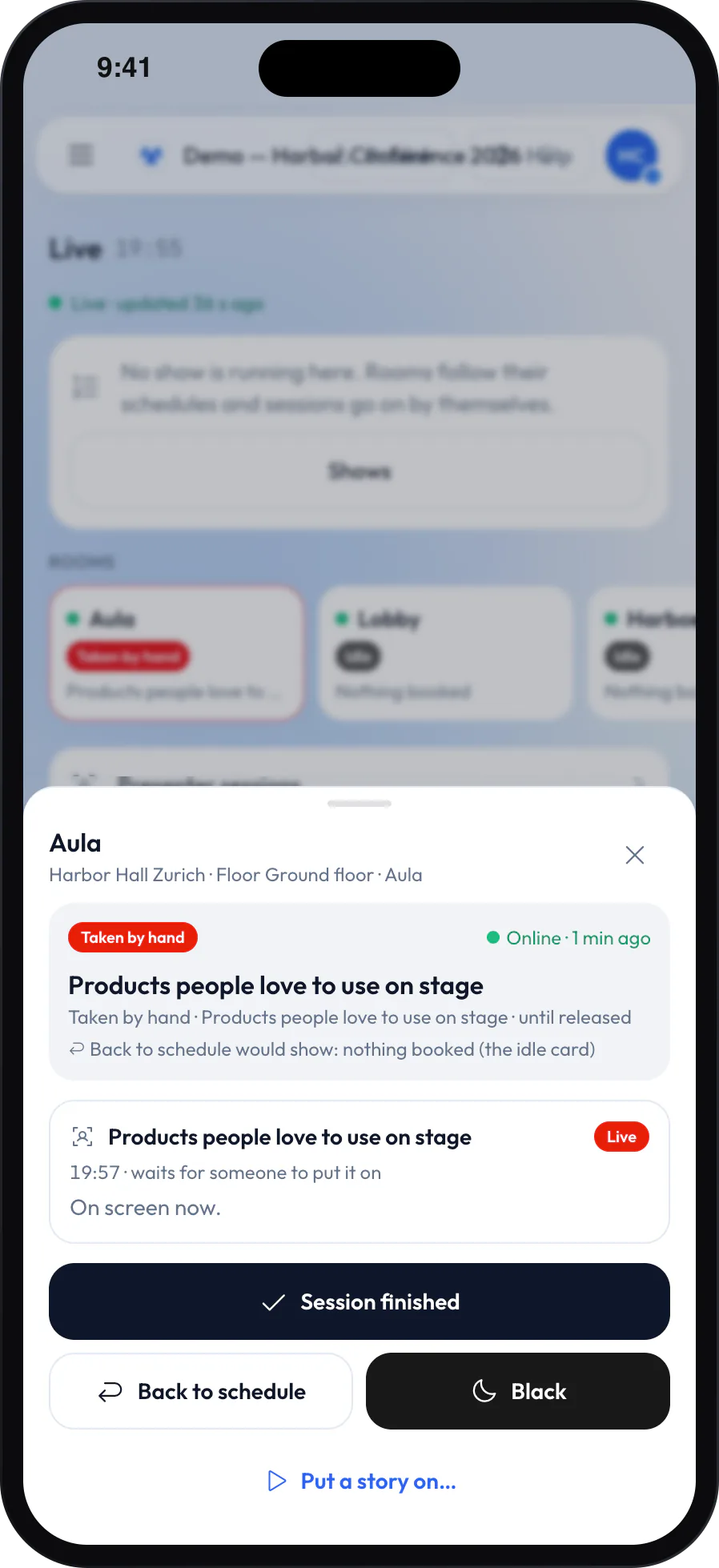
The Live desk on a phone, with the Aula sheet open.
Lobby and room screens in sync
The lobby’s agenda board reads the same sessions and shows what is on now and next in every room. When the keynote runs long, nothing jumps ahead: the countdown for the next talk waits at 00:00 until someone presses Take. The desk and every screen work out what to show with the same function, so the tile on the operator’s phone and the picture on the wall can’t disagree.
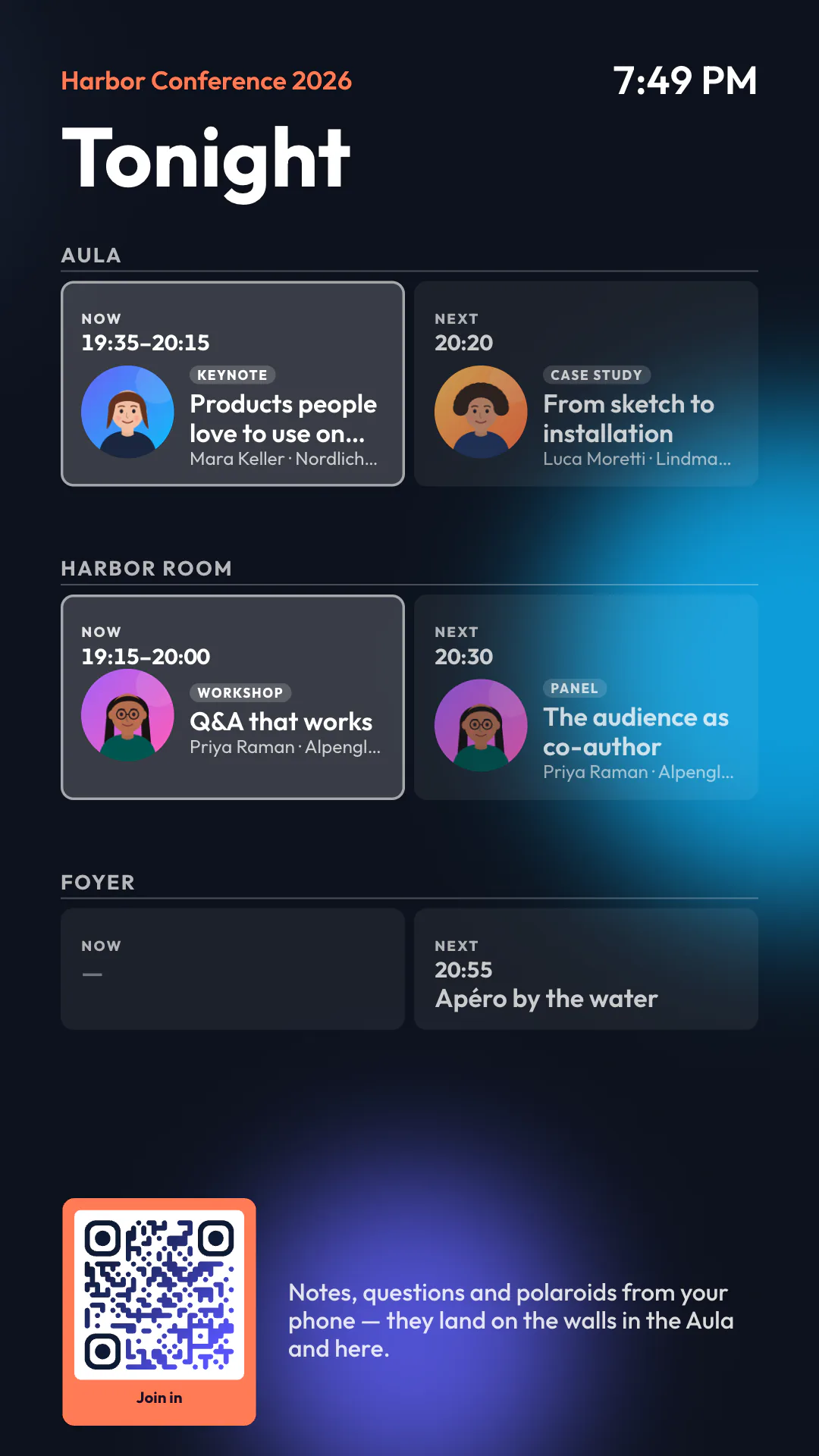
A portrait lobby screen with now and next for every room.
Guests take part from their phones
A QR code on the screen opens a page on the guest’s phone, again with no app and no login. Guests write notes, ask questions and shoot polaroids that land on the walls, and the presenter or the operator picks one question to show big. You decide what gets through: open, approval first or an automatic check. How that works with a crowd is in From QR code to polaroid wall, and how it compares with the usual Q&A tools is in Slido, Mentimeter or Wooclap?
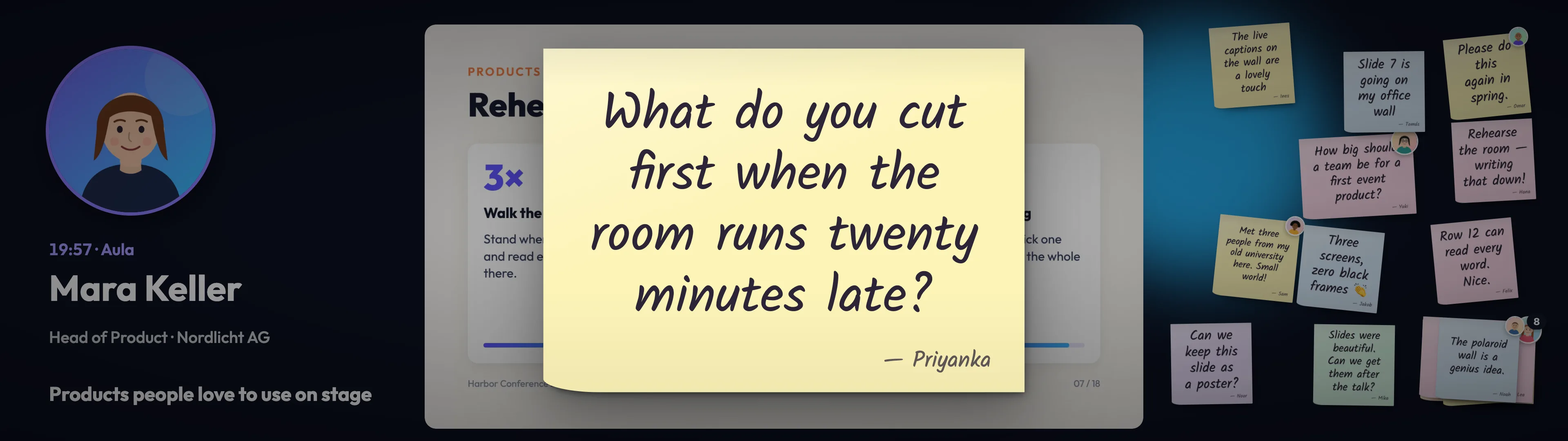
During Q&A the picked question comes out of the wall and fills the stage.
The traditional way, in short
- People. Role lists for live events, such as the AV labor positions described by Endless Events or Precon Events’ writing on the show caller, name a show caller, a stage manager, a technical director, a video engineer at the switcher, graphics and playback operators, camera operators, audio, an LED technician and, for hybrid events, a streaming operator. Not every event fills every role, but counted together it comes to roughly six to ten technical people for one stage. That is our estimate from those lists, not a survey.
- Costs in the German-speaking market. LED wall rental about EUR 50–200 per square meter per day before installation (Kampro, Acetec); a freelance video mixer or media operator about EUR 400–600 for a ten-hour day (VPLT study); hybrid or livestream production EUR 3,500–15,000 (eigenart filmproduktion). US guides often put AV at 10–20% of an event’s budget (DMAK Productions), a US figure we would not carry over unchanged.
- Where it breaks. Late slide swaps and version chaos (AVFX), black screens when HDMI and HDCP handshakes fail at the switch (OREI’s blog), and remote speakers with audio and network trouble, usually arriving through a separate video call (Developit).
Our estimate, clearly labeled as one: a 32:9 wall of about 18 m², its processor, a media server and six to eight crew come to roughly CHF 8,000–15,000 for AV on one show day, before audio and lighting. The arithmetic: 18 m² at EUR 50–200 is EUR 900–3,600 for the wall, and six to eight people at EUR 400–600 is EUR 2,400–4,800. Add the processor, switcher, media server, rigging, a setup day and transport.
The expensive part of an event screen is rarely the screen. It is the chain of people and boxes in front of it.
When the venue already has screens
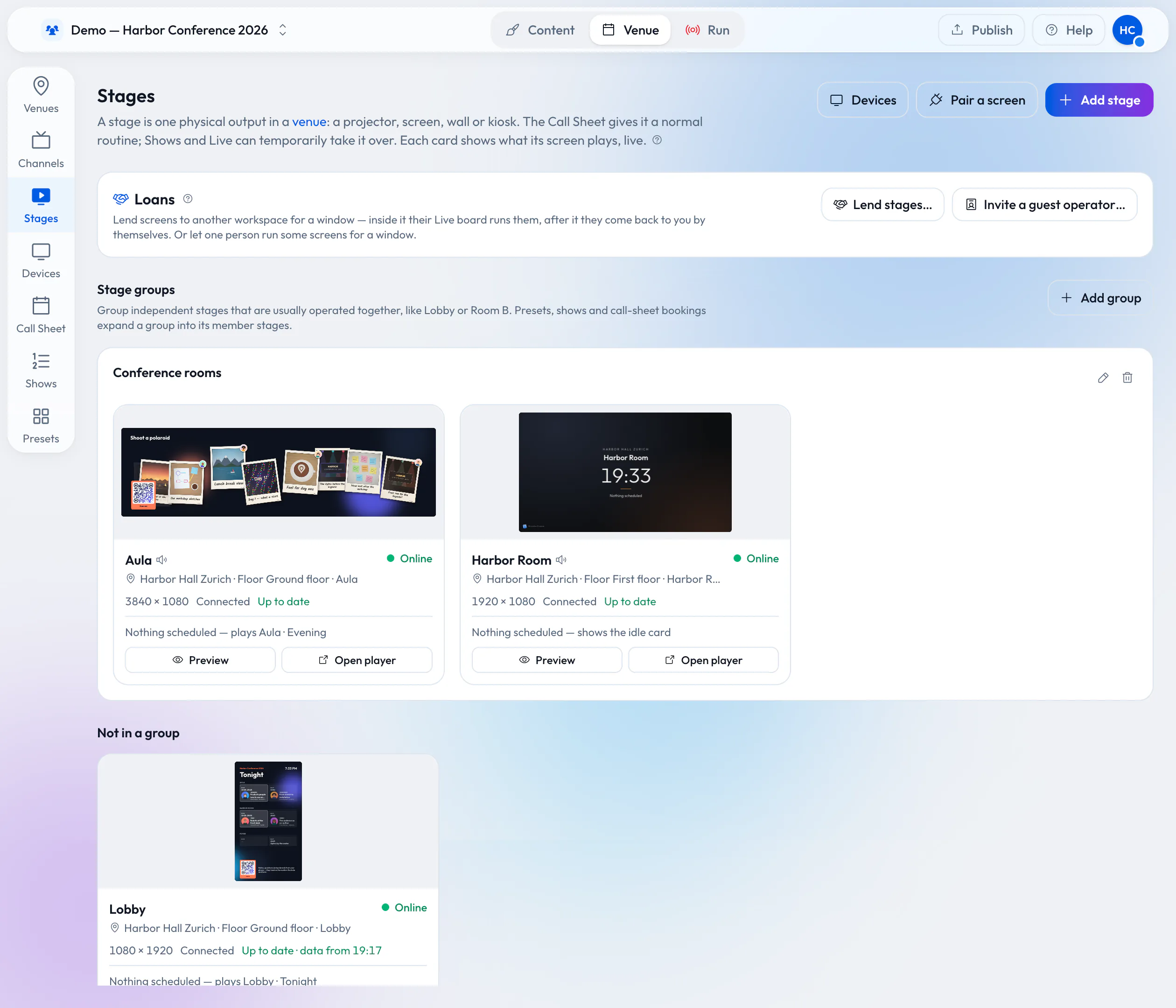
Many hotels, seminar centers and event halls have screens installed in their rooms. If the venue runs them with Wunderframe, it can lend them to you for the time you booked: you prepare and check everything from your own workspace before you arrive, nothing has to be wired on the day, and the screens go back to the venue by themselves when your booking ends. How that works is in Lend your wired screens with the room.
What Wunderframe does not replace
- Audio. You still want someone on the mixer. A presenter’s sound plays from the player on stages marked for presenter audio, into your sound system like any other source.
- Lighting, cameras and image magnification. If you want a camera operator’s close-up of the speaker on the wall, that is still a camera and a person.
- The screen itself, or the LED wall with its rigging and processor.
- An outgoing livestream to people at home.
And someone still owns the room and presses the buttons. Wunderframe makes that job small, not unnecessary.
A crew that fits the room
For a company meeting or a wedding, the screen side is one person with a phone, often someone who is at the event anyway. For a one-stage conference, our view (not a benchmark) is one person on the desk, which can be the stage manager, plus your audio technician and whoever rigs the wall. There is no switcher operator, no graphics operator and no playback operator, because the program drives the graphics and the presenters bring their own screens.
Try it on your next event
Read Presenters and sessions for the operator’s view and Keynotes that wait for the speaker for a worked morning. See Pricing for the plans, then start free and put one screen and one presenter link through a rehearsal.
Related posts
Live speakers without surprises: a playbook for event managers
Rehearsals, the backstage link, a network you control, operators for every room and a Q&A that knows who picks the questions. What to prepare with your speakers before the day, and how the day itself runs.
How to build a video wall from ordinary screens
Two, three or twelve TVs showing one picture, with video and motion running across all of them. What you need, how to hang and design it, and how the screens stay in step.
Lend your wired screens with the room
Your rooms already have screens on the wall. Lend them to the organizer who books the room: they prepare and run everything in Wunderframe before they arrive, nothing is wired on the day, and the screens come back to you when the booking ends.