For event agencies and planners
Prepare it at the office, run it at the venue.
Your clients change venues, rooms and programs. Wunderframe keeps the work you do for them: scenes, stories, Presets and guest pages you design once, preview before they reach a screen, and run on whatever screens the venue has.
The situation today
Every event starts from scratch: new slides, a new Q&A tool, a new photo wall supplier, and a morning at the venue working out which cable goes where.
Design once
Templates that fill from the client’s program.
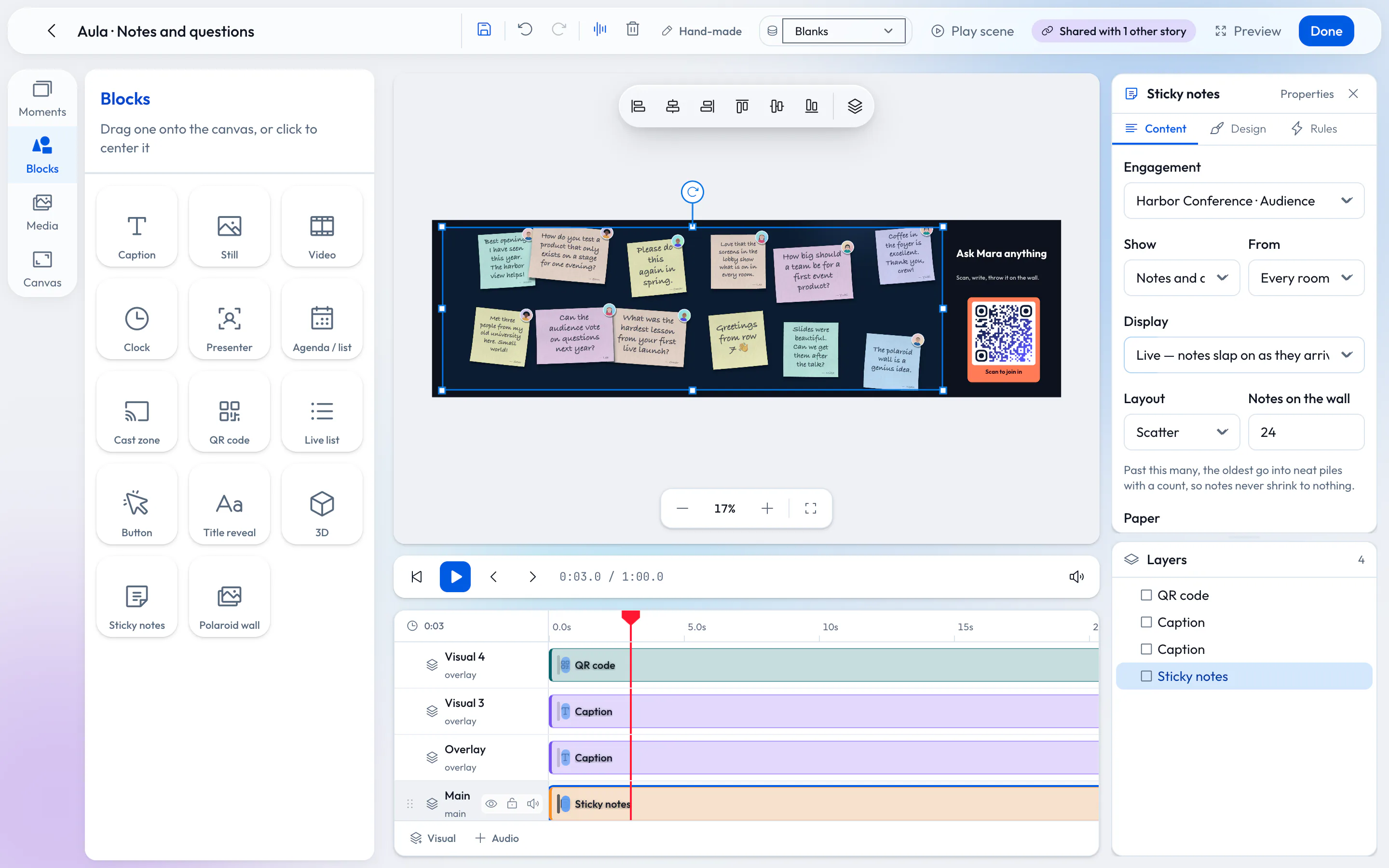
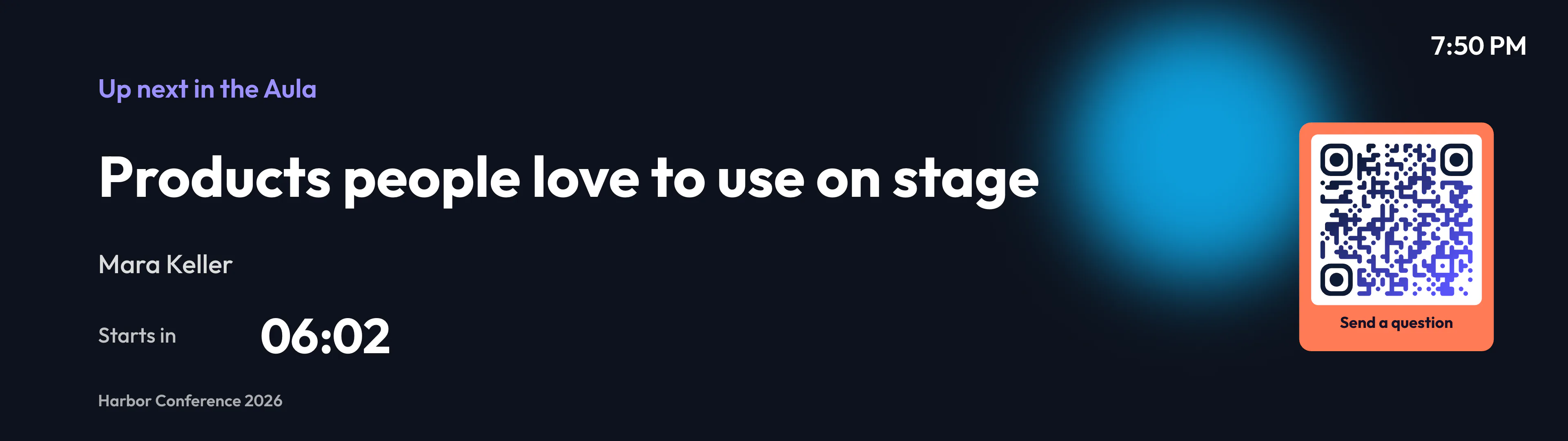
Build scenes from blocks on a timeline — captions, pictures, video, clocks, QR codes, agenda lists, presenters and audience walls. Leave blanks for the speaker, the title or the sponsor, and they fill from the client’s data: typed in, a CSV, a JSON address or a feed.
- Save the setups you use as Presets and recall them in one step
- A workspace per client, or one for your agency — switch between them
Preview and rehearsal
Show the client before the day.
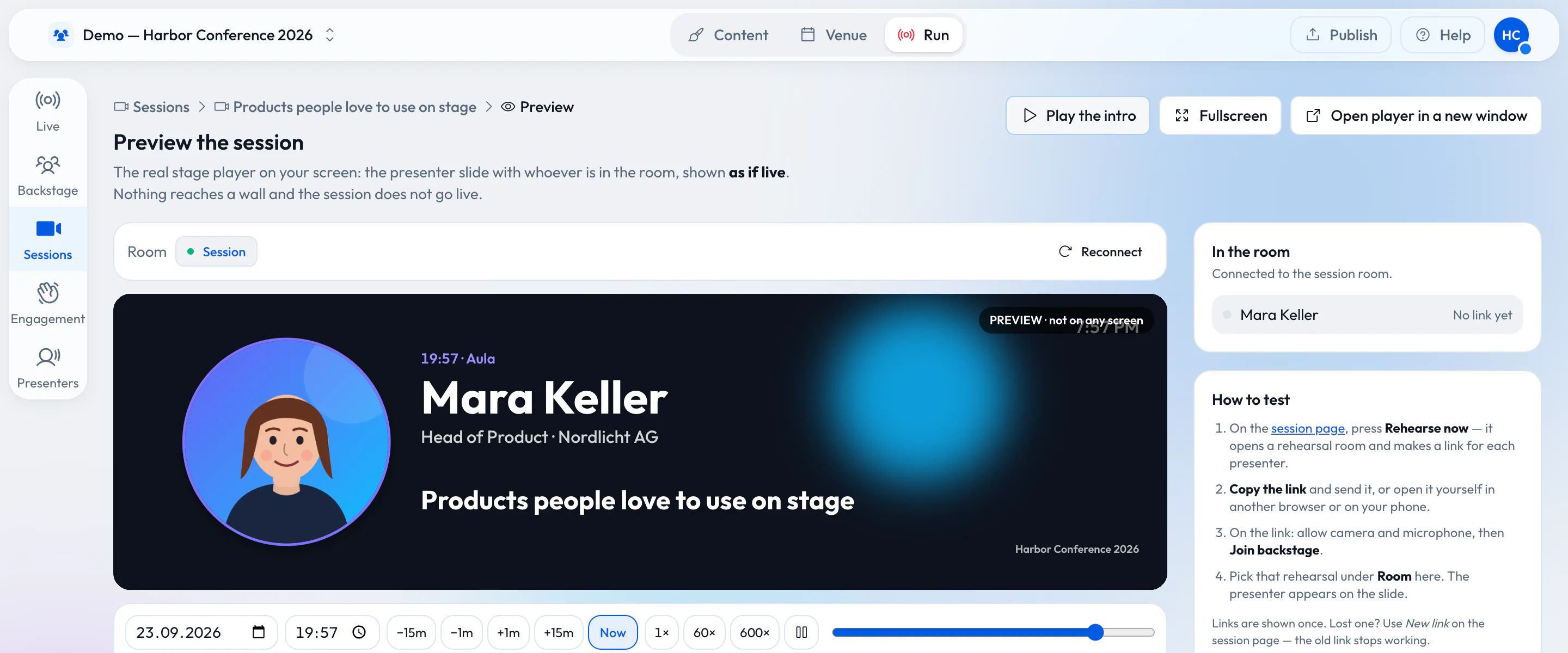
The preview plays a session exactly as the stage will, marked “not on any screen”, with a time scrubber to jump to any moment. Speakers rehearse with the same link they use on the day, and nothing reaches a real screen unless you choose a test stage.
The venue’s screens
Borrow the screens with the room.
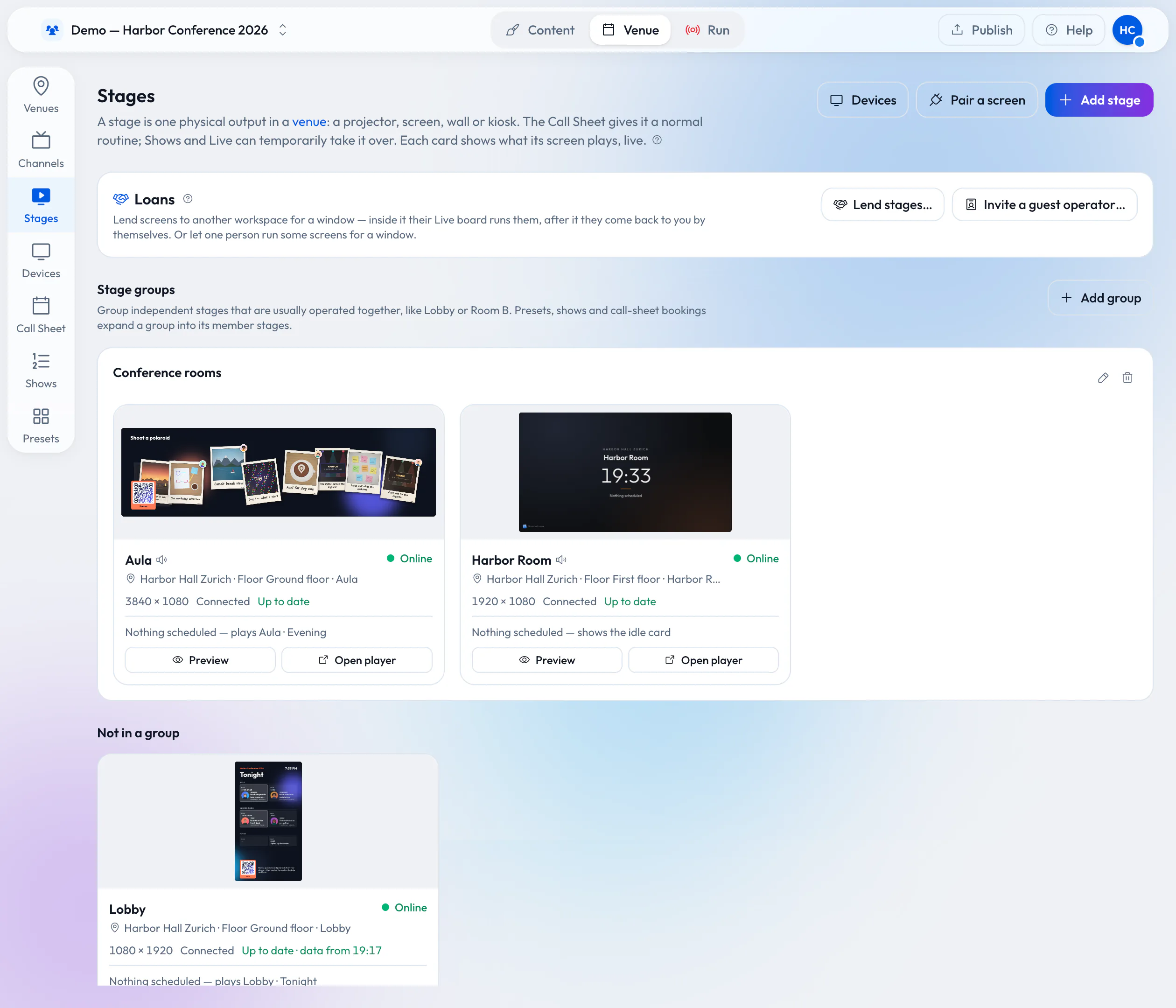
When the venue runs Wunderframe, it can lend you its stages for the booking. They appear in your workspace for that window: you plan your show against them in advance and run them on the day. When the booking ends, they go back to the venue by themselves.
If only one person of yours runs the screens, the venue can invite them as a guest operator — no workspace needed.
Guests
Each client’s audience, in the client’s colors.
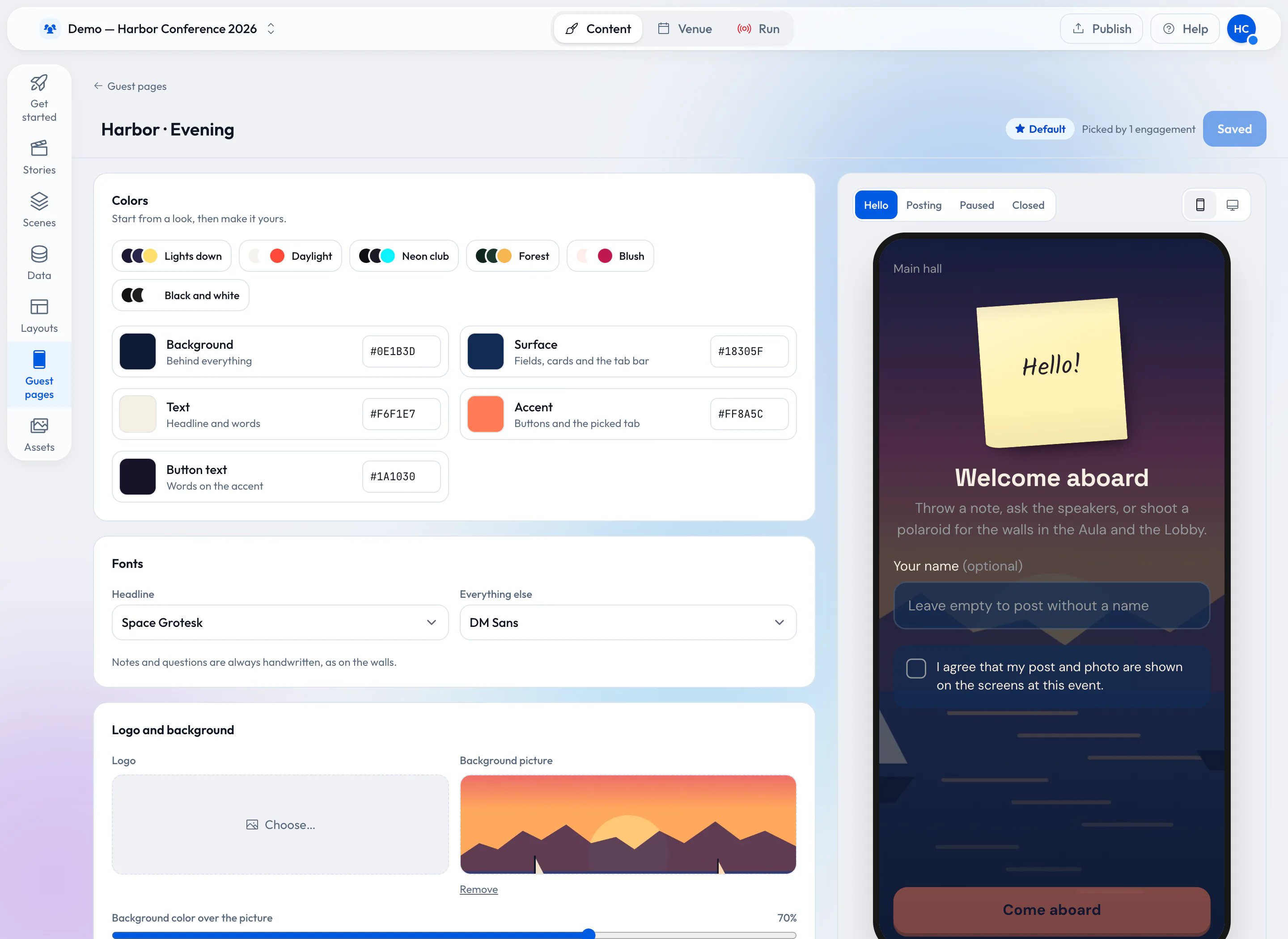
An engagement belongs to the workspace, a show or a session, and decides what guests may send — notes, questions, polaroids, videos — how it is moderated and when it is open. A guest page design gives it the client’s colors, fonts and words.
Working as a team
The right person on the right button.
-
Roles that mean one thing
Team and rolesOwners, editors, operators and viewers. An operator runs the screens and edits nothing.
-
A show, cue by cue
Schedule and go liveWrite the run of show once; on the day, one GO takes the next cue.
-
Set up with an AI assistant
AI agentsConnect an AI assistant over MCP to create stages, stories and sessions from a conversation.
What you need
Your laptop, and screens at the venue.
-
A browser
Everything is designed and run in the browser. The live desk also works on a phone.
-
Screens at the venue
The venue’s own Wunderframe stages, or any screen with a browser, an Android TV box or a Raspberry Pi that you pair.
-
Guests’ phones
For notes, questions and photos: a QR code on a slide.
Read more
For the people who run the show.
-
One screen setup for every client event
Read the postHow to build a setup once and carry it from event to event.
-
How an event should really run
Read the postThe day of an event, from the desk’s point of view.
-
Lend your wired screens with the room
Read the postHow a loan works, seen from the venue’s side.
Build your first client setup.
Start a workspace, design a scene with the client’s colors and preview it — before anyone books a screen.
Free while in early access. No credit card needed.