For offices, airports, business parks, retail and events
Every screen in your building, run from one place.
Wunderframe plays your content on every screen — the reception, the lobby, the shop window, the departure hall, the stage — on the schedule you set, from your own data, and each keeps a copy of what it plays on the device. When the day changes, take over any screen from one live desk, on a laptop or on your phone.
Free while in early access. No credit card needed.
Most screens today run on a patchwork.
A USB stick behind the lobby TV. A separate player for the news. Room signs printed every morning. And nobody sure what plays where.
Wunderframe starts somewhere else.
One place for every screen — from the reception and the meeting rooms to the shop floor, the departure hall and the stage.
Made for
Every place where screens have something to say.
-
Offices and campuses
Digital signageThe reception, the break room and the meeting rooms: welcome messages, today’s news, the canteen menu and what is on in every room.
-
Airports and business parks
Airports and business parksDepartures, arrivals, the weather and the tenants’ news, filled from your data on every screen of the site, and wayfinding people can use with their hands.
-
Retail and hospitality
Digital signageMenus, prices and opening hours from a list, the morning menu at breakfast and the evening one at six, and a shop window that changes by itself.
-
Venues and events
For eventsThe same screens on event day: agenda boards, speakers on screen and an audience that joins by QR code.
What it does
Everything your screens need to do.
-
Stories on any screen
Build stories from scenes and play them on any screen with a browser, on Android TV with the Wunderframe app or on a Raspberry Pi. A screen pairs with a six-letter code.
-
Sites, rooms and walls
Set up each site once: rooms, lobby screens, groups you switch together and video walls made of several screens that play in sync.
-
Plays by itself
Each screen plays what you booked for it and something sensible when nothing is. Rules switch it by time of day, weekday, a value in your data or someone standing in front of it.
-
News and TV
Headlines from any news feed, TV channels full screen or between your own scenes, round and round, with the channel’s name and a clock.
-
Your data on screen
Design a screen once with blanks and fill it from a list: typed in, a CSV from Excel, a feed or a JSON address. Change the list and every screen that shows it changes.
-
Hand gestures
With a webcam, visitors use the screen with their hands: point, pinch to choose, swipe through the news. Touch screens work too. You run every screen from the live desk, on a laptop or a phone.
Hand gestures
Screens people use with their hands.
Any TV plus a webcam: visitors raise a hand, point and pinch to choose.
- No touch hardware.
- Nothing to touch — even behind glass.
- Private: images never leave the screen.
And on event day
The same screens run your event: speakers on screen from a link, agenda boards that know what is on, and an audience that joins from their phones.
Live engagement
Your audience joins from their phones.
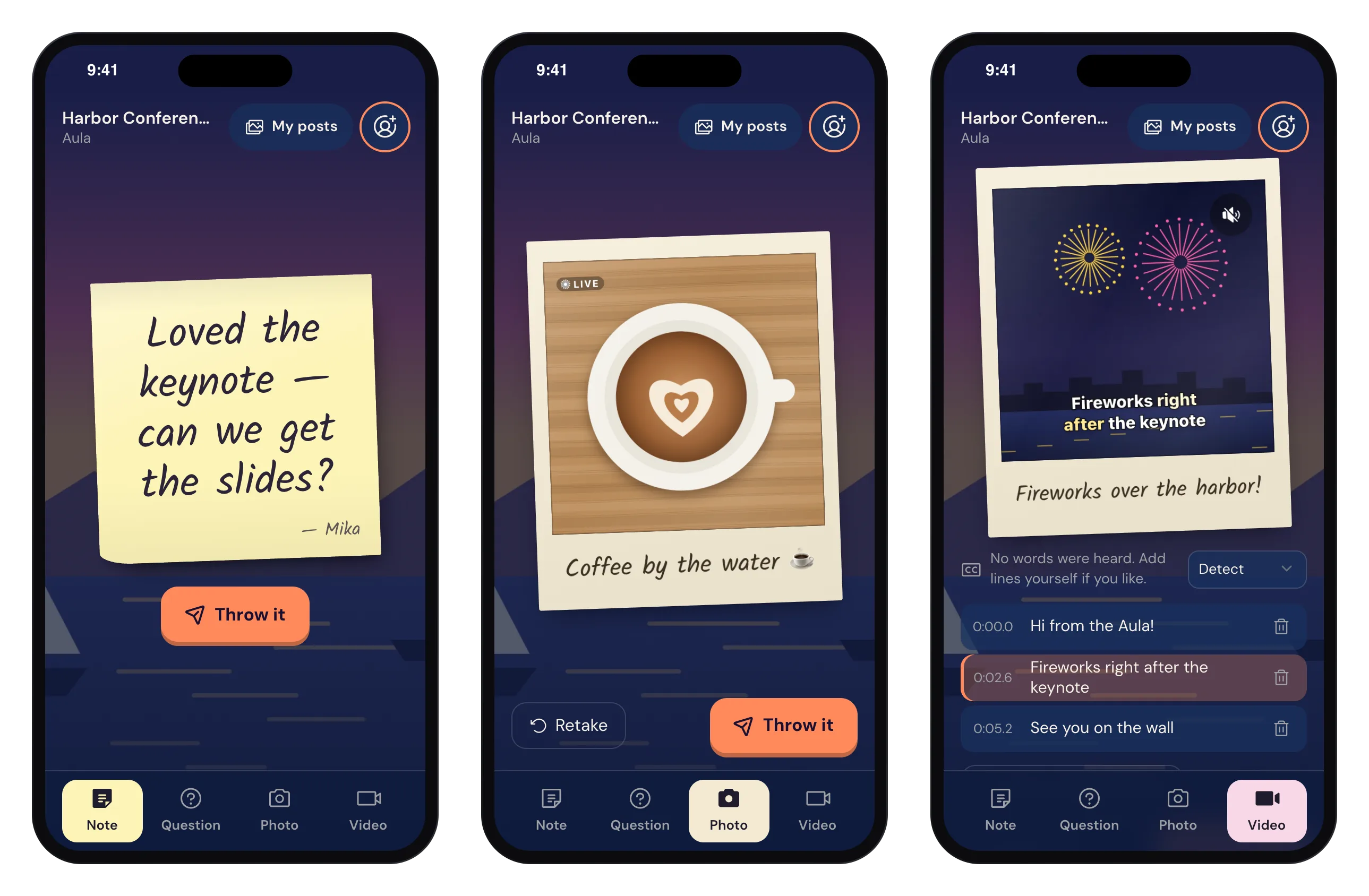
A QR code on the screen opens a page on the guest’s phone — no app, no login. They write a sticky note, ask a question, shoot a polaroid or a Live photo, or send a short video with captions made from their own words.
- Everything lands on every wall that shows the engagement — in the room and in the lobby at the same time.
- You decide what gets through: open, approval first or an automatic check.
- Guests can share their photos and videos from the page.
Walls
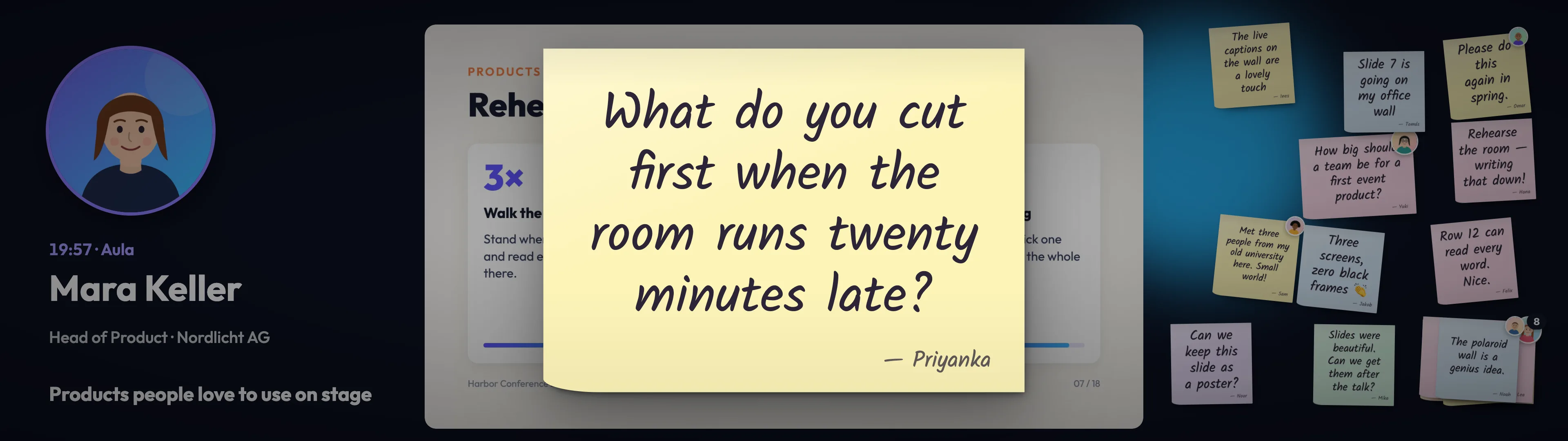
Polaroids that land on the big screen.
Photos arrive as instant prints, with the guest’s caption and selfie. Notes pile up on a sticky-note wall, and the question you pick zooms up big for the speaker to answer.
Live desk
Run the show from your pocket.
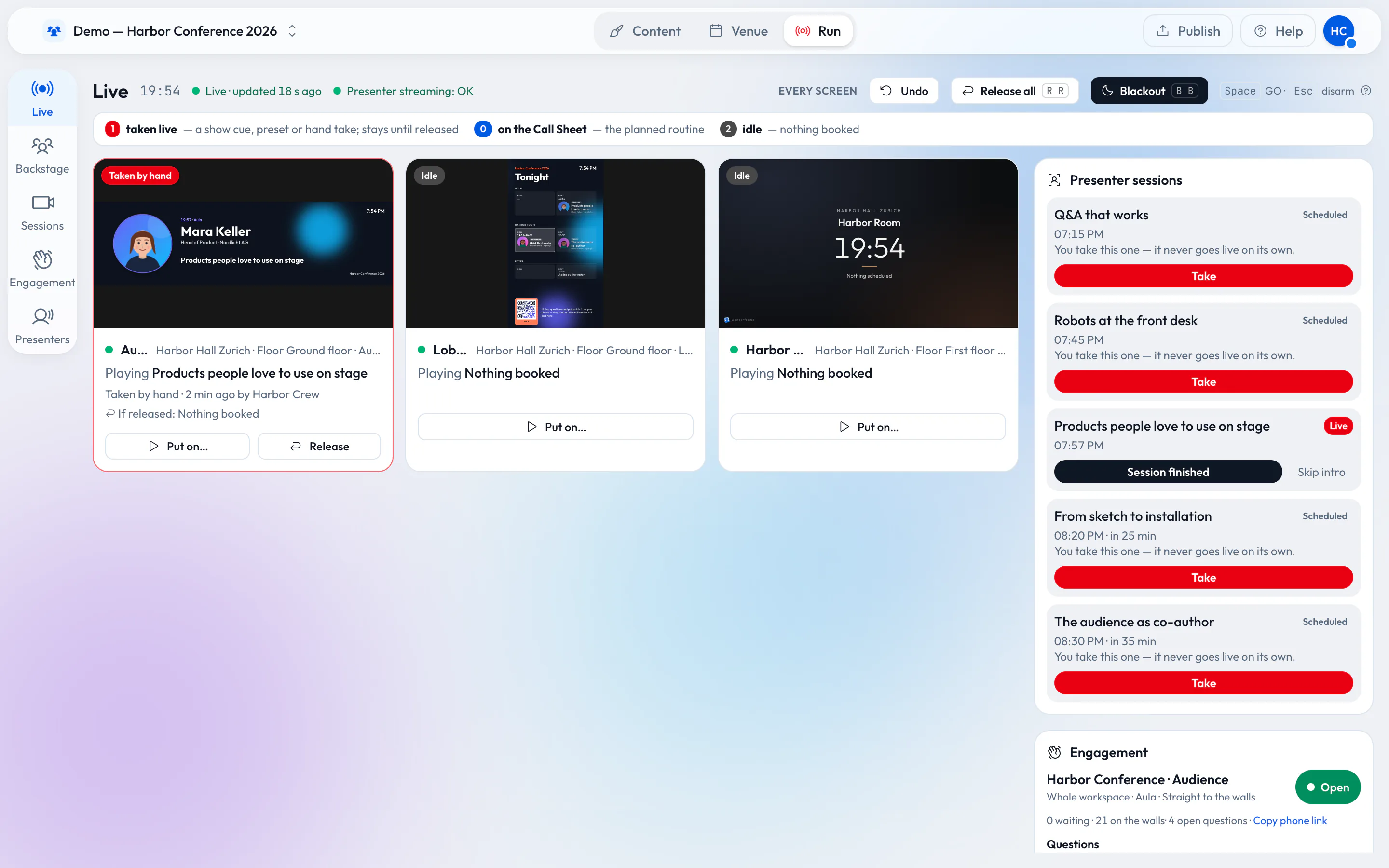
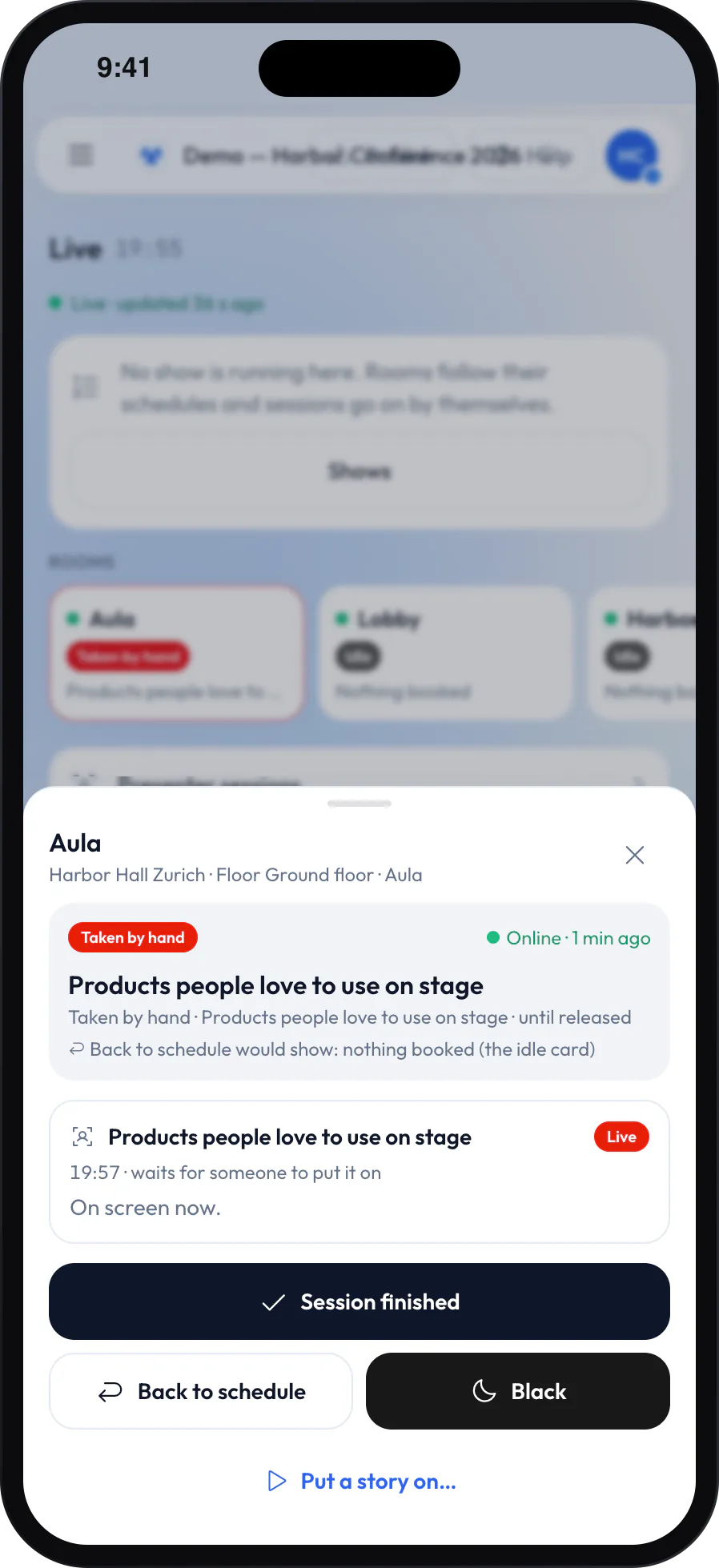
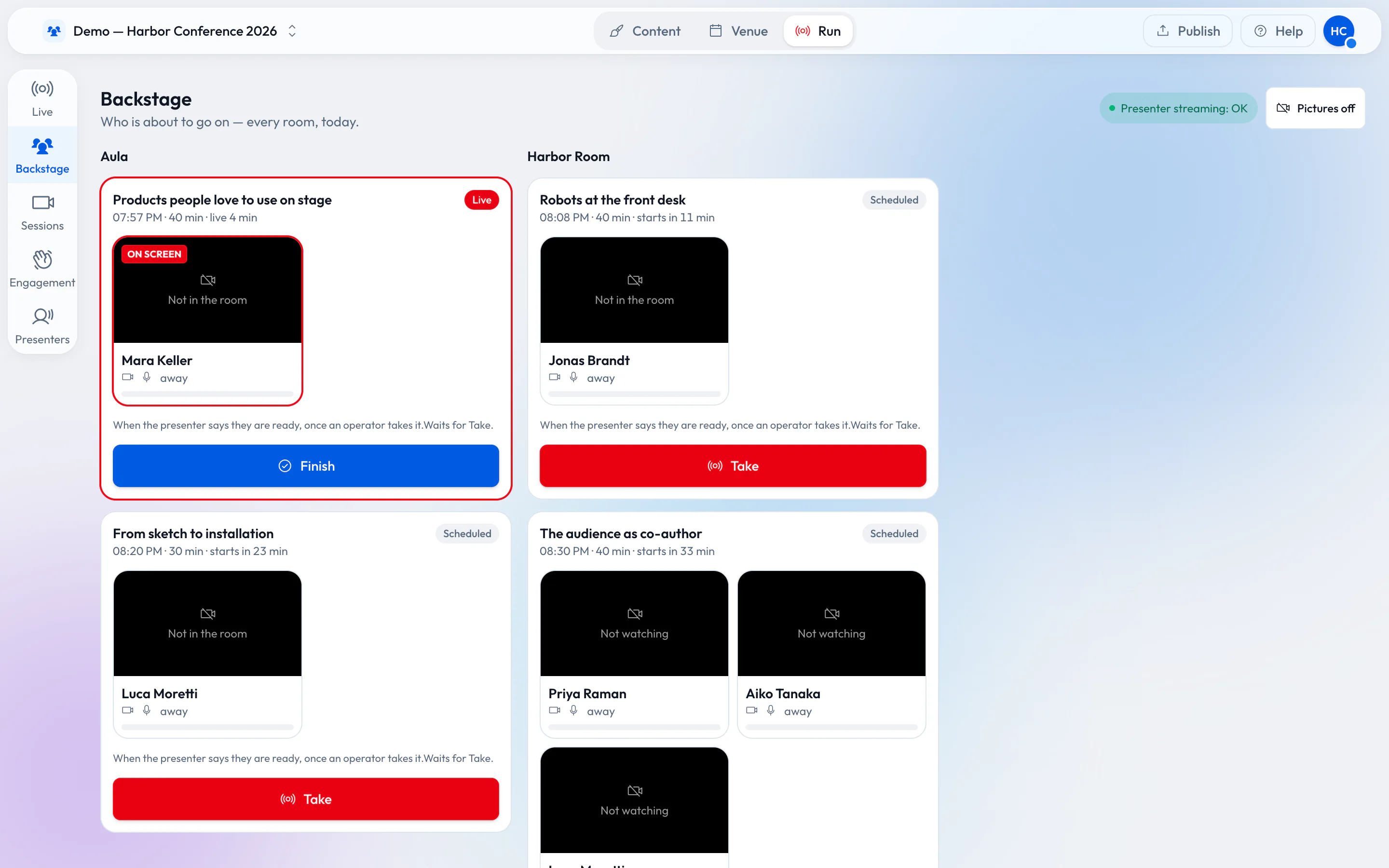
The live desk shows what every screen plays right now, and why. Take a scene by hand, go to the next cue, finish a session or black out a room — on a laptop, a tablet or your phone.
When nobody touches it, every screen follows its schedule by itself.
Speakers
Speakers step on screen from a link.
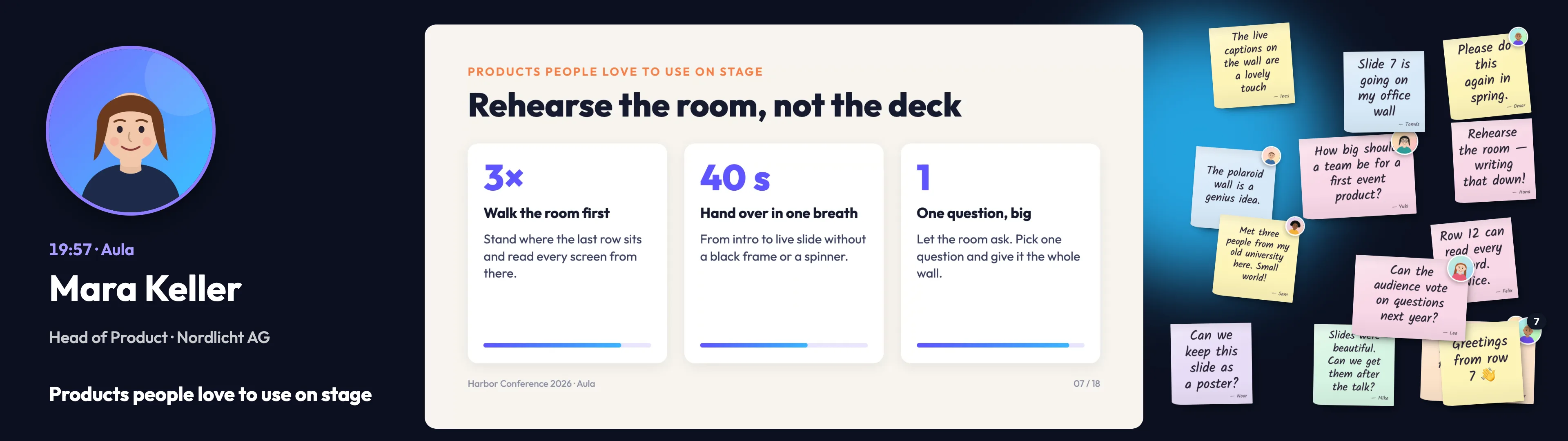
Invite a speaker to their session. They open a personal link, check camera and microphone backstage and say they are ready. You put them on the room’s screen — whether they stand in the room or join from home.
Rehearsals use the same link, days before, without touching a real screen.
Agenda boards
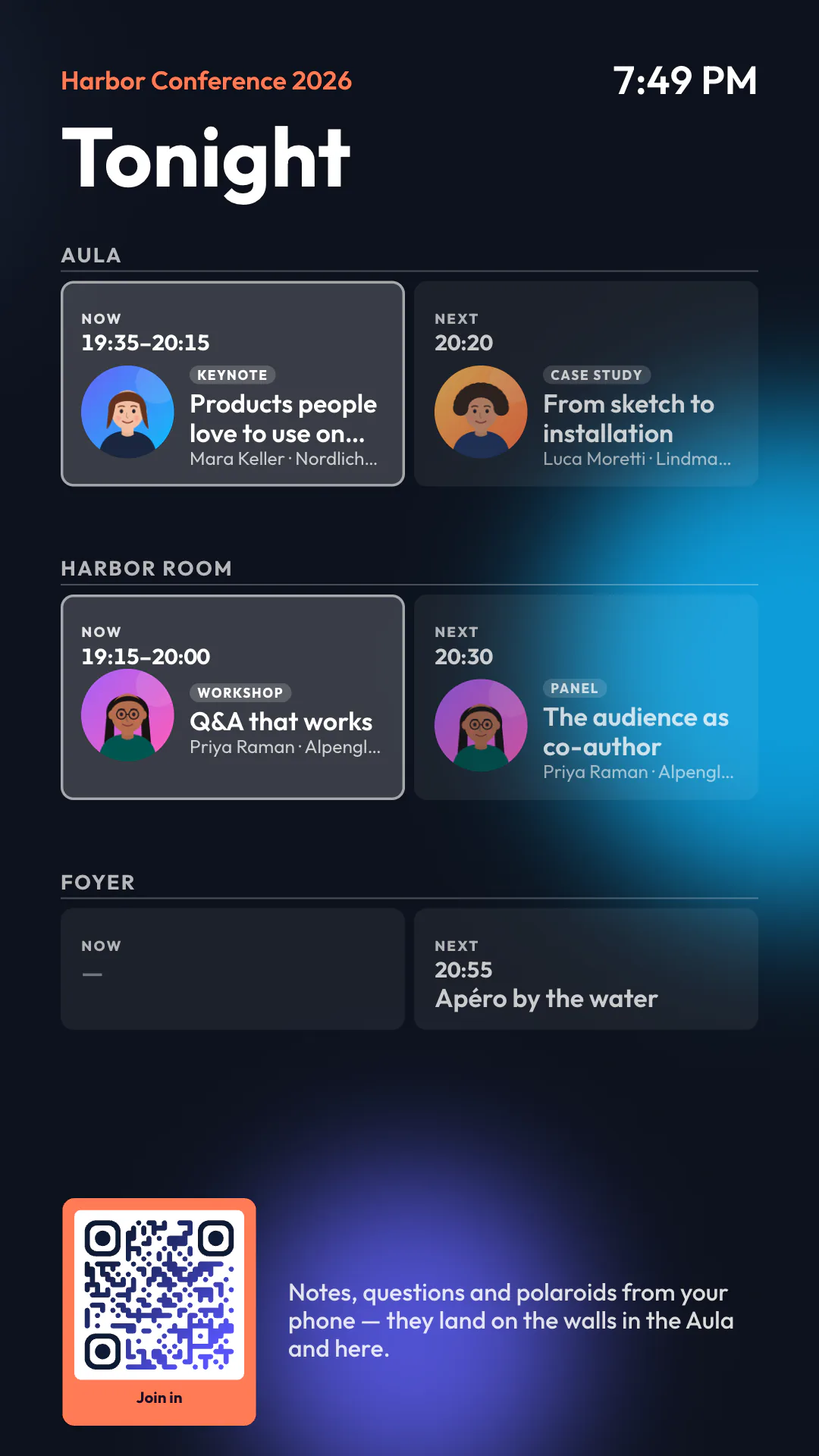
The lobby always knows what is on.
Keep your program as data — typed in, imported from CSV or JSON, or read from a feed. Agenda boards show what is on now and next in every room, with speaker portraits and a QR code to join in.
For venues
Lend your wired screens with the room.
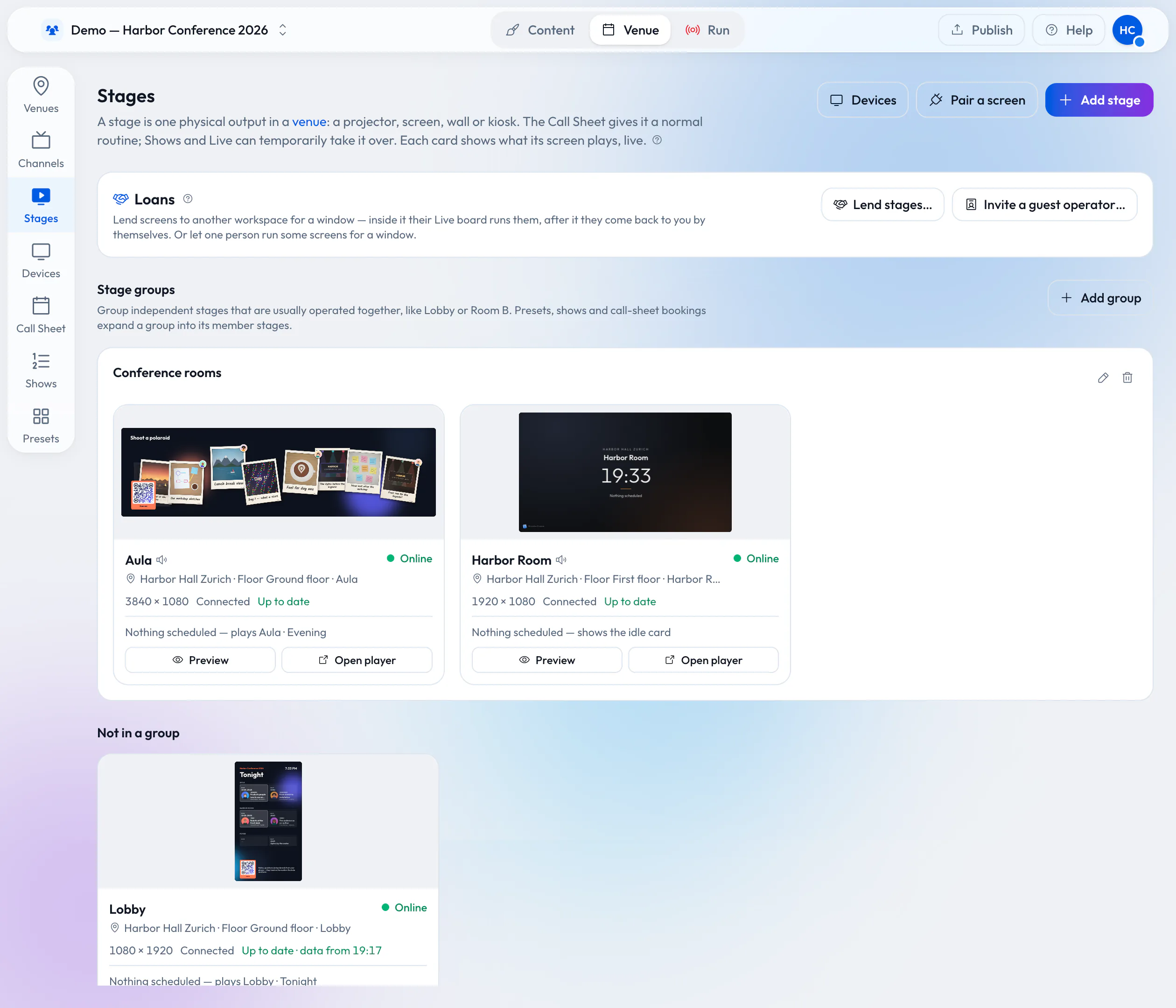
Your rooms already have screens on the wall. Lend them to the organizer who books the room, for exactly the time they booked. They prepare and run everything from their own Wunderframe workspace before they arrive, and nothing is wired on the day.
- The screens keep their player link, their devices and their cables.
- While they are lent, your desk shows them locked and your own bookings wait.
- When the window ends, they come back to your call sheet by themselves.
One tool instead of four
Stop renting a new stack for every event.
Most events hire the same tools again and again, and none of them talk to each other.
- Q&A and polling tool Questions from the audience
- Social photo wall Guest photos on a screen
- Photo booth rental A camera, a stand and someone to run it
- Digital signage The lobby and room screens
Together, per event about EUR 900–1,100
Wunderframe
- Sticky notes, Q&A and polaroid walls
- Photos, Live photos and videos from every guest’s phone
- Every screen, from the lobby to the stage
Free to start. Event Pass from EUR 290, coming soon.
See pricingOur estimate, from Swiss prices, of what one event typically spends on these four tools, excl. VAT. Your quotes will differ.
How it works
Up and running in three steps.
-
Set up your site
Add your rooms and screens. Open the player on each screen and pair it with the six-letter code it shows.
-
Build your stories
Design scenes in the editor, fill them from your data or a news feed, and book what each screen plays when.
-
Go live
Screens follow the schedule by themselves. When the day changes, take over from the live desk.
What makes it different
Made for screens that have to work.
-
Plays on what you have
A browser, an Android TV box or a Raspberry Pi. A screen keeps playing from what it has stored when the network drops.
-
Live, not only scheduled
Schedules run by themselves, and you can take over any screen at any moment. Every screen says what it plays and why.
-
No app for guests
A QR code and a browser are all a guest needs. No download, no account.
-
Your data, your design
Design a scene once with blanks and fill it from any list — your program, speakers, sponsors or a news feed.
Pricing
Start free. Add screens as you grow.
- Live now
Free
EUR 0per month, while in early access
1 venue, a few screens, live engagement
Start free - Coming soon
Pro
EUR 1923per screen / month
minimum 2 screens
See all plans - Coming soon
Business
EUR 390470per month, 10 screens included
+ 15 per extra screen
See all plans
Prices excl. MWST/VAT. Paid plans are coming soon.
Wunderframe
Your content, on every screen.
Create a free account, pair your first screen and watch your story play.
Free while in early access.