For sports clubs and club events
Your club on every screen, from the entrance to the bar.
The fixtures, your sponsors, the photos your fans take and the match on TV — on the screens in the clubhouse, the hall or by the pitch. You keep the data where it is, and the screens follow it.
The situation today
The fixtures are in a spreadsheet, the sponsor logos on a USB stick in the TV, and the clubhouse screen shows whatever the last person left on it.
Fixtures and schedules
Boards that fill from your fixture list.
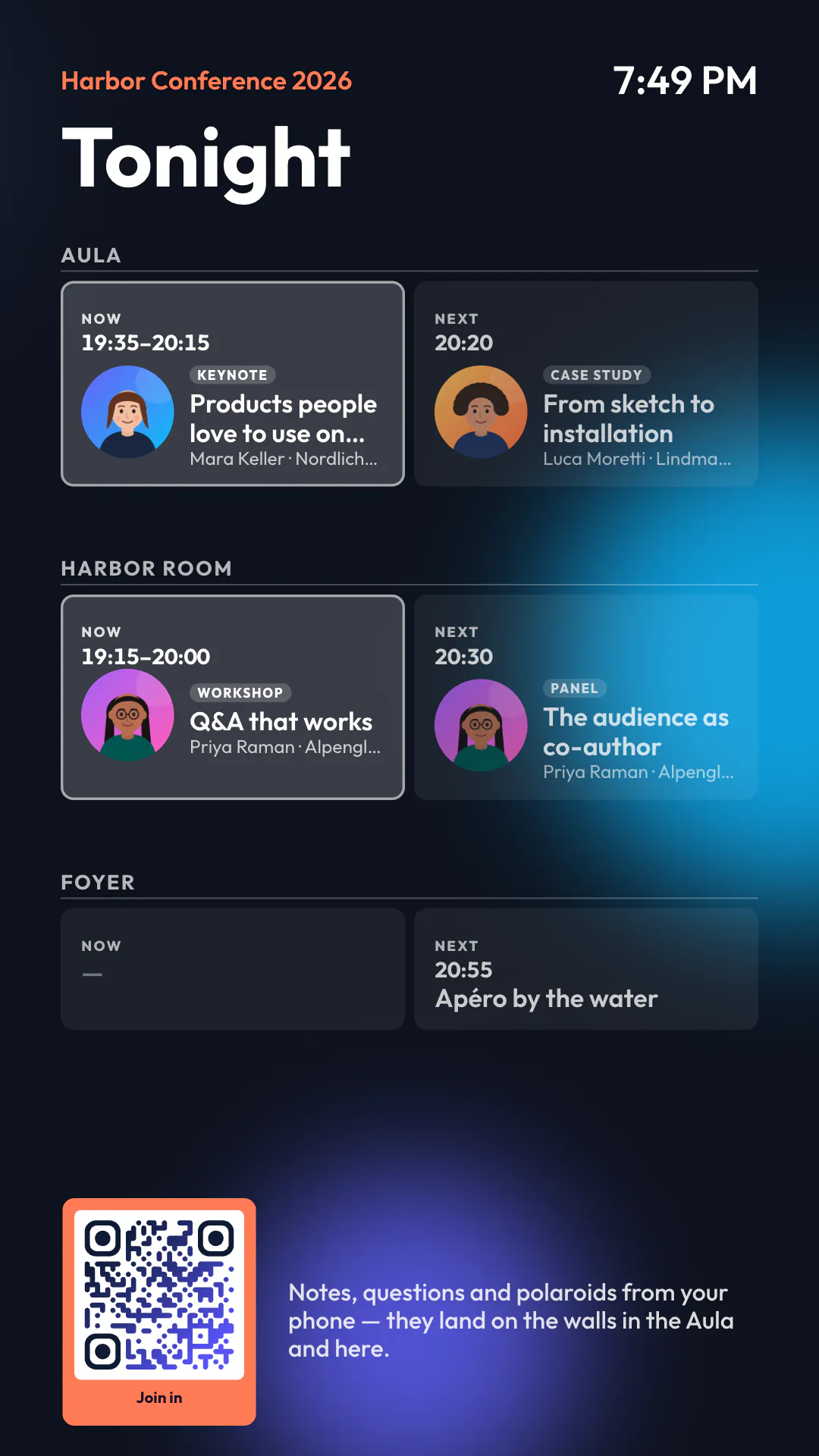
Type the fixtures in, upload a CSV from your spreadsheet, or point Wunderframe at a JSON address or a feed your league or club system offers. A board shows what is on today and what comes next, by the clock, in a design you choose — and a template turns each row into a full-screen match card.
Data read from an address refreshes on a schedule you set, from every few minutes to once a day, or when you press Sync now. It is not a live score ticker.
Fan wall
The crowd on the big screen.
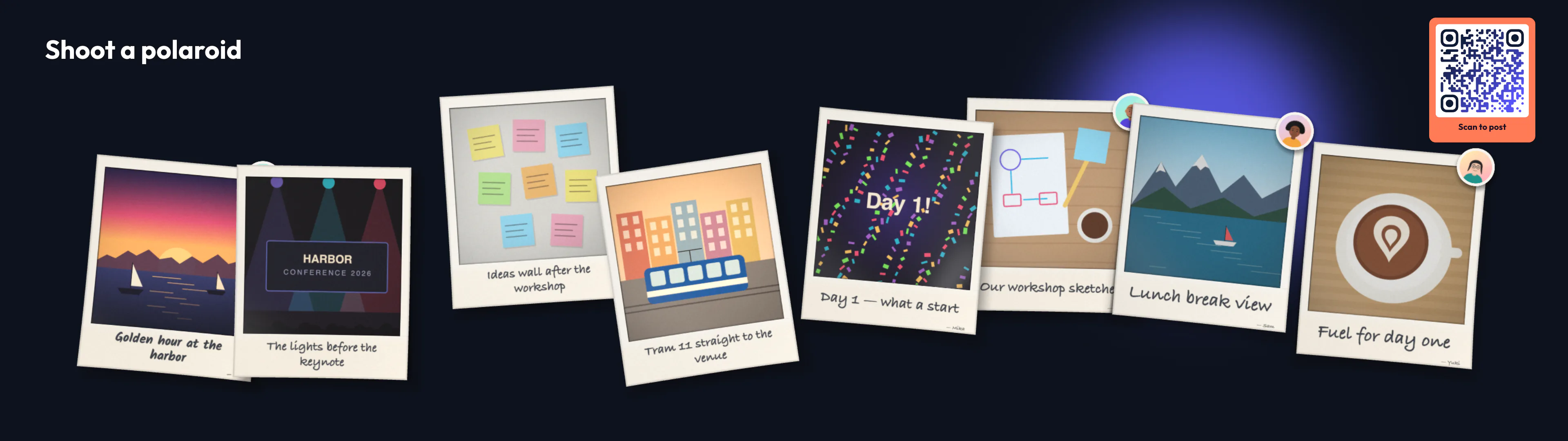
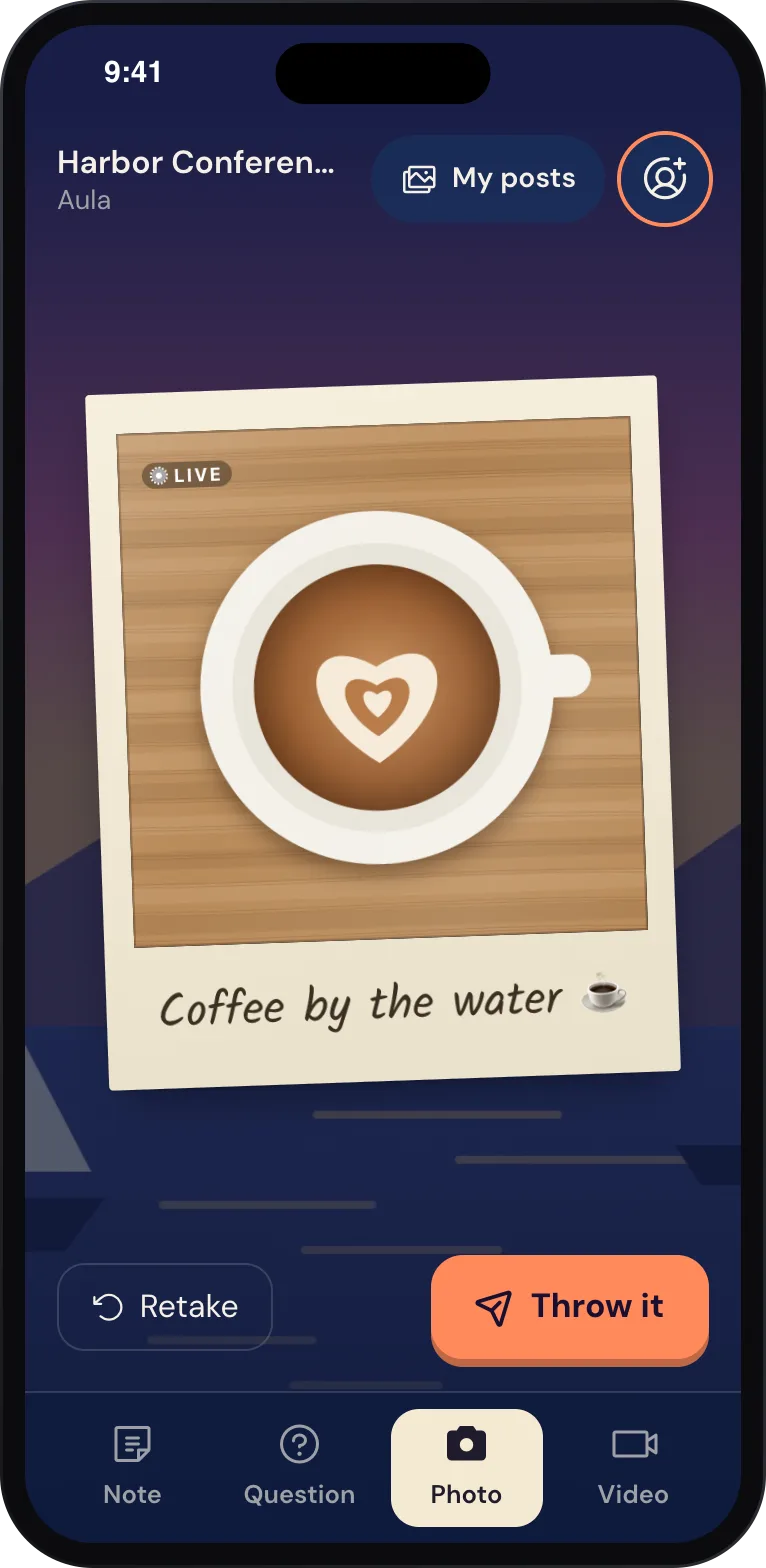
Put a QR code on the screen at half-time or after the final whistle. Fans take a photo or write a note on their phone — no app, no account — and it lands on the wall as a polaroid or a sticky note.
- Approve posts first, or let them straight through
- You set how long posts are kept, and they are deleted after
Around the club
What the screens do the rest of the week.
-
Sponsor loops
From data to screenKeep your sponsors as a list with their logos. A story rolls through them in one design, and a new sponsor is a new row, not a new slide.
-
The match on the TV
TV channelsPlay a channel from your TV provider’s list inside your own frame, and switch to it from the Live desk or by a rule.
-
By the time of day
Screens that change themselvesRules and the call sheet change what plays: the youth training schedule in the afternoon, the sponsors in the evening, the idle card at night.
-
Countdowns
CountdownsA countdown to kick-off or the next event, with the time taken from your data.
-
Run it from a phone
Schedule and go liveA volunteer takes a scene or puts the fan wall on from the Live desk on their phone.
-
Your own live data
Custom renderersIf you have a live data source, a native player can read it on your network, or a custom renderer can draw it. That is a project, not a switch.
What you need
Modest hardware is fine.
-
A small player per screen
An Android TV box with the Wunderframe app or a Raspberry Pi behind the clubhouse TV, or any screen with a browser.
-
Your fixture list
Typed in, a CSV from your spreadsheet, or a JSON address or feed if you have one.
-
Your fans’ phones
For the fan wall: a QR code on the screen and an internet connection for the phones.
Read more
For club volunteers and hall managers.
-
Clubhouse screens for fixtures, sponsors and fans
Read the postA practical setup for a club, and what it can’t do.
-
Old TV boxes and Raspberry Pis as players
Read the postThe cheapest players that do the job.
-
What digital signage costs
Read the postScreens, players and software, priced for Switzerland.
Start with the clubhouse TV.
Pair it, import your fixtures and put your sponsors on a loop. Add the fan wall on match day.
Free while in early access. No credit card needed.