The product
From the lobby screen to the main stage.
Wunderframe is one system for everything that shows up on a screen at your event — what plays, who speaks and what your audience sends in.
How it decides
Every screen always knows what to play, and why — a take by hand, a rule, the schedule or its idle card.
Venues and stages
Set up the venue once.
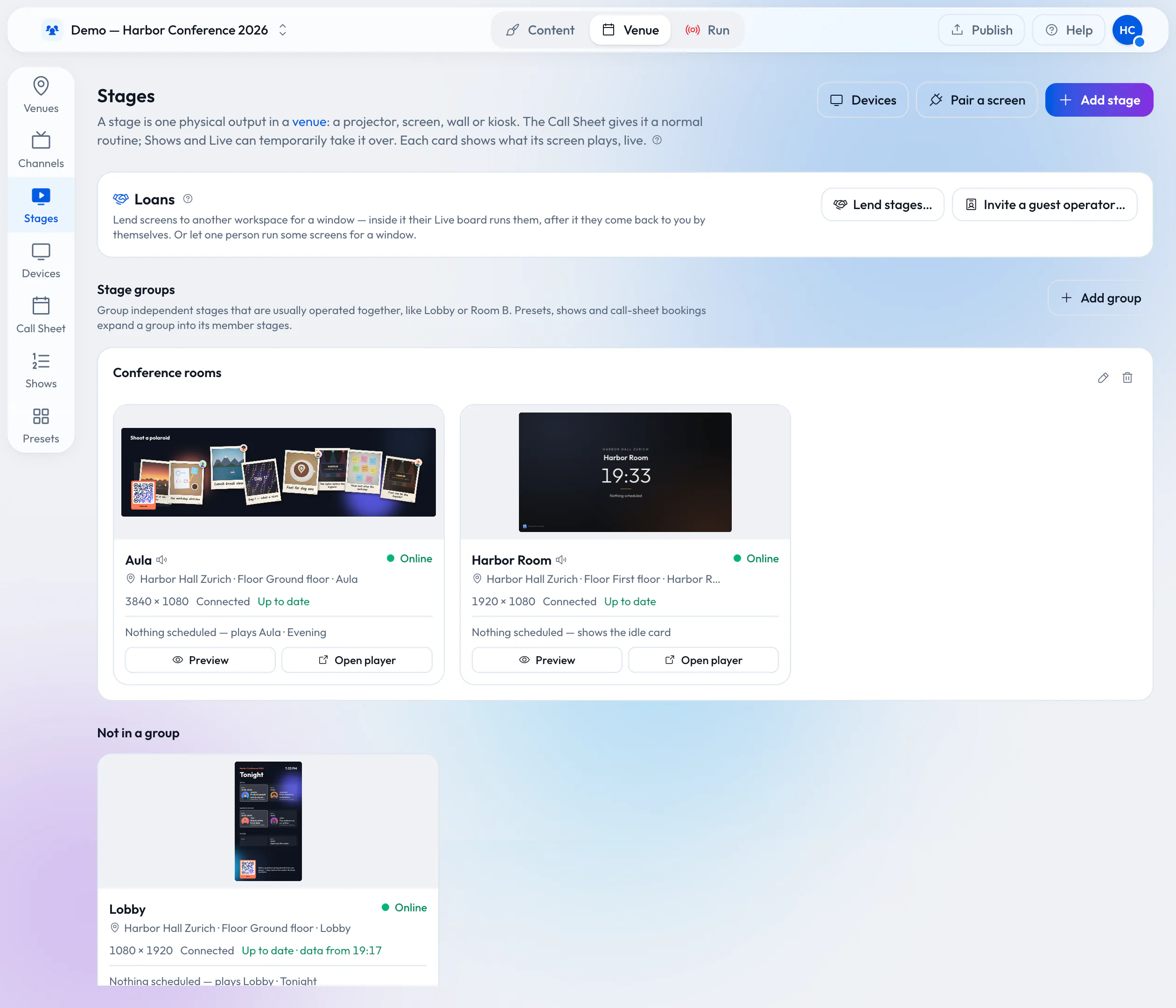
Every screen is a stage in a venue — the Aula, the lobby, the Harbor Room. Group stages to switch them together, and join several screens into one wall that plays in sync.
- Pair a screen with the six-letter code the player shows
- See at a glance which screens are online and up to date
- Portrait, landscape and ultra-wide screens side by side
Scenes and stories
Design once, play everywhere.
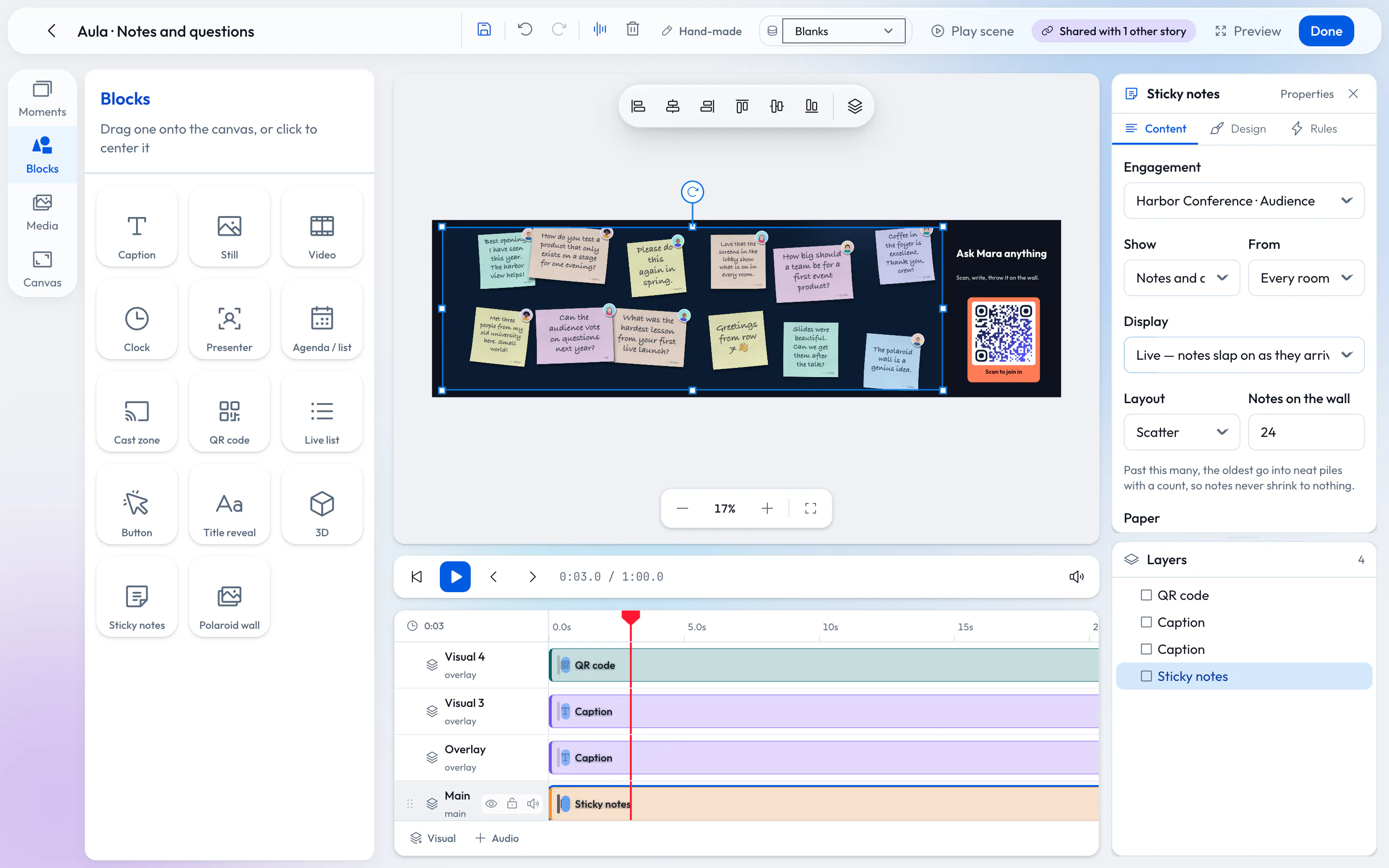
Build scenes from blocks on a timeline — captions, pictures, video, clocks, QR codes, agenda lists, presenters and audience walls. String scenes into stories that loop, roll through a list or follow the day.
Try a scene in the preview before it reaches any screen.
Live desk
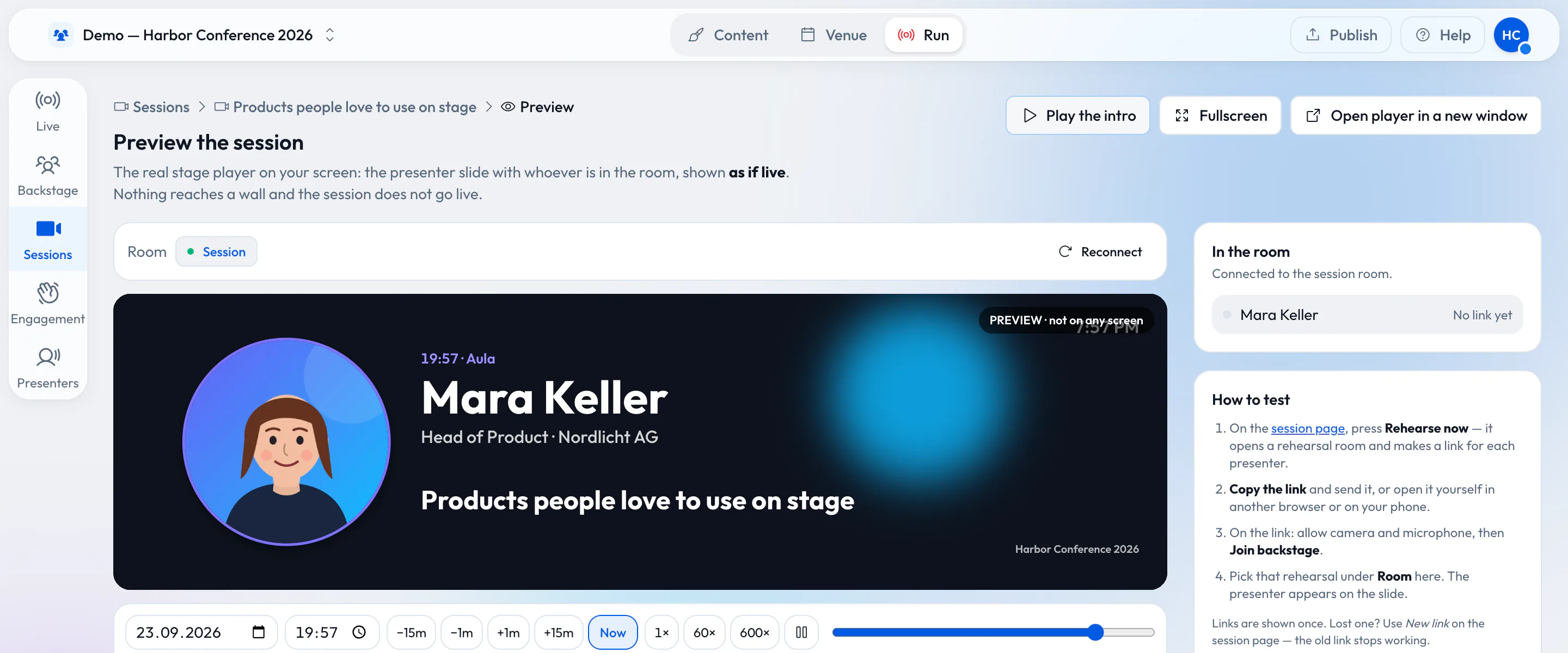
The control room fits on a phone.
The live desk shows every stage: what it plays, why and who holds it. Take a scene by hand, run a show cue by cue, finish a session or black out a room.
- On a laptop: every stage and every session side by side
- On a tablet: the stages above, a big GO below
- On a phone: one big GO button and the room you need
Speakers
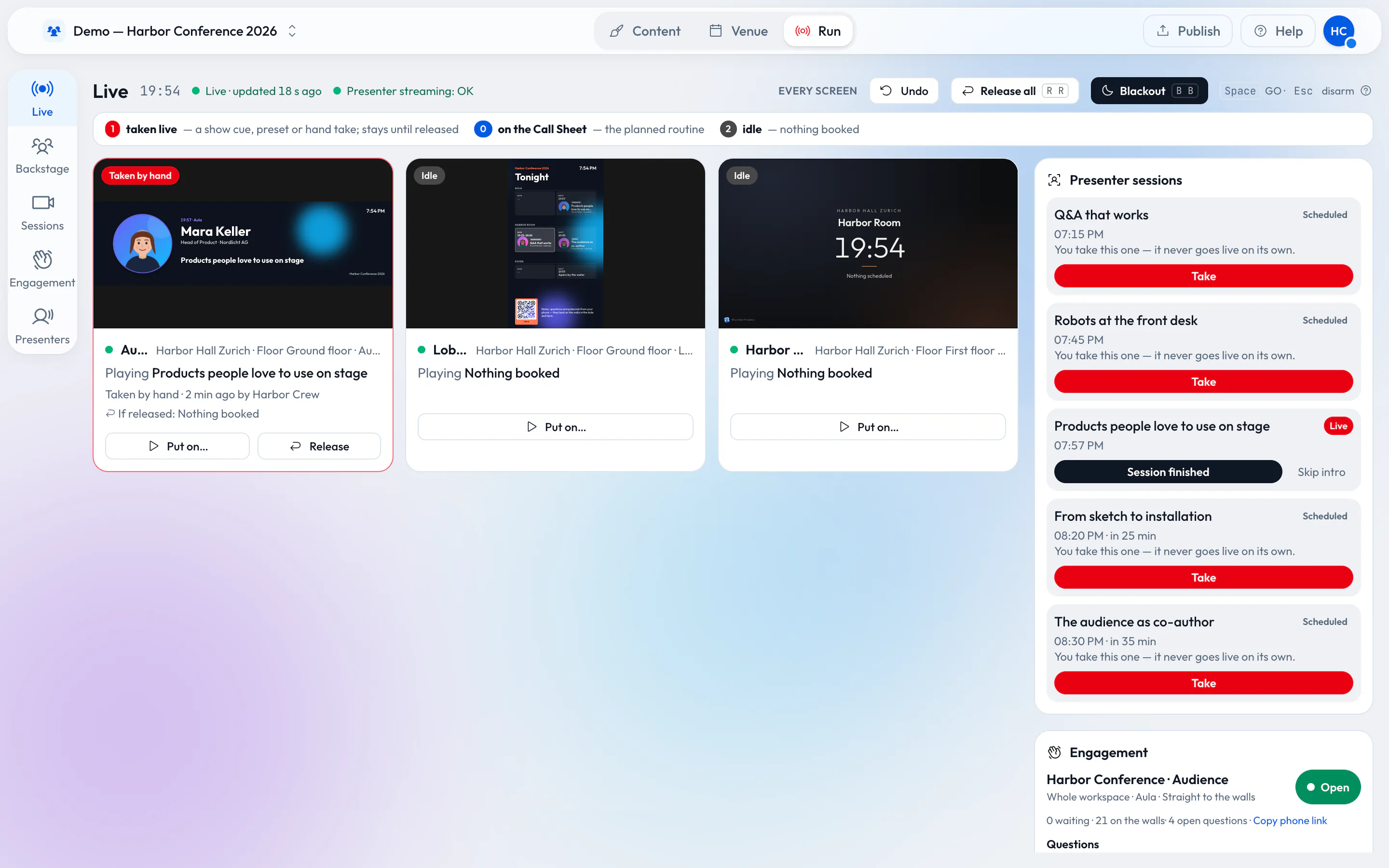
Speakers on screen, on site or remote.
Invite a speaker to a session with a personal link, by copy or by email. They wait backstage, check camera and microphone and say they are ready; the operator puts them on the room’s screen. A panel shows several speakers at once.
- Rehearsals use the same link and stay off the room’s screen
- The speaker sees a small picture of the room’s screen while they are on it
Agenda boards
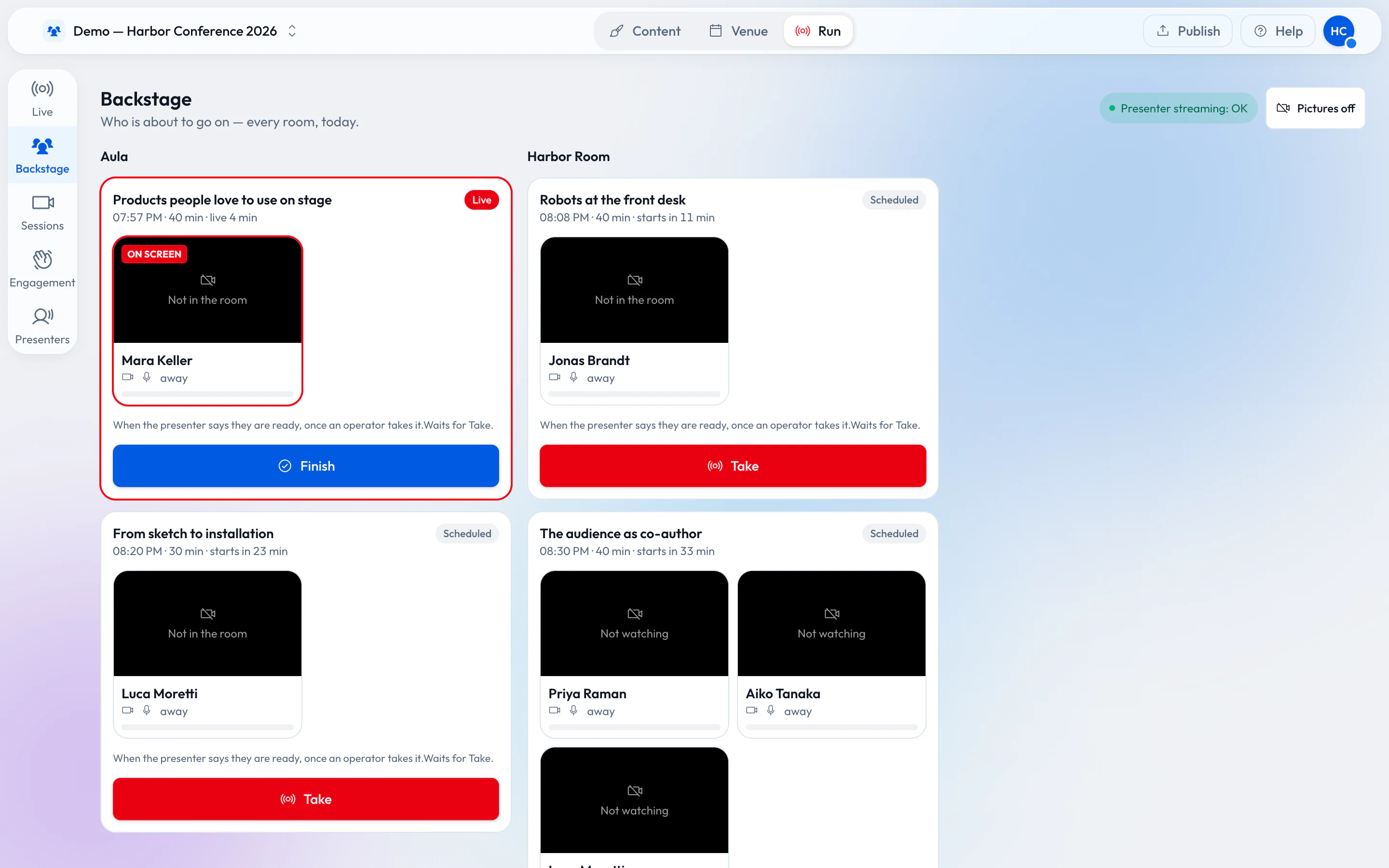
Agenda boards that keep up by themselves.
Your program is data: type it in, import a CSV or JSON file, or read an RSS feed. Boards pick what is on now and next in every room by the venue’s clock, in a design you choose.
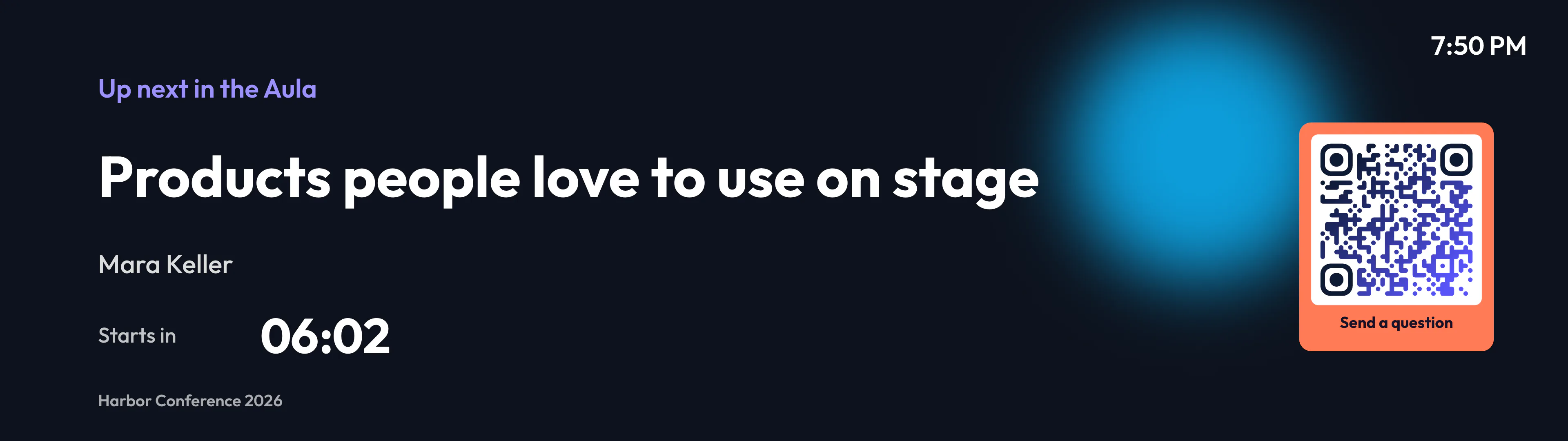
Speaker intros
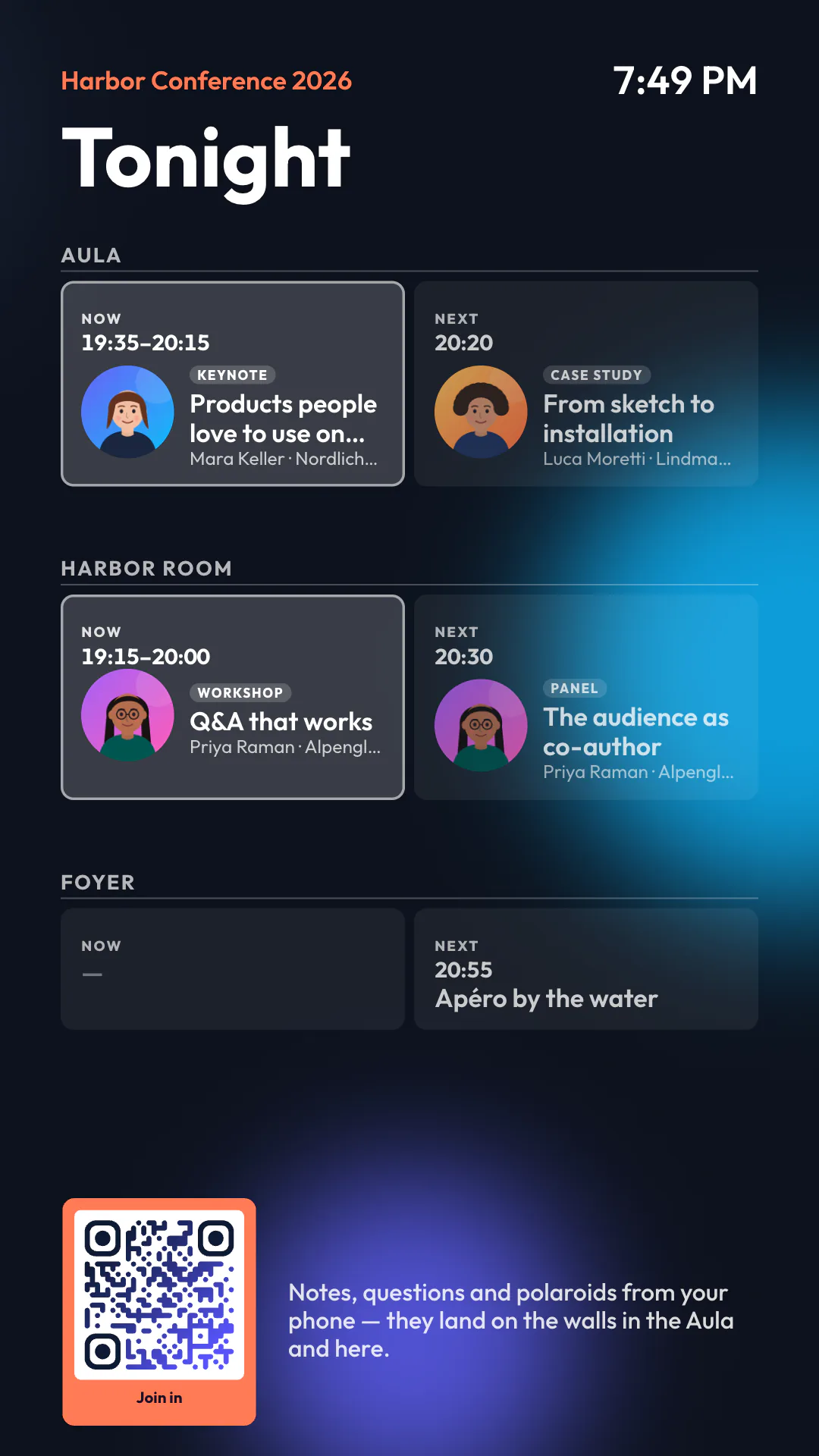
Every session announces itself.
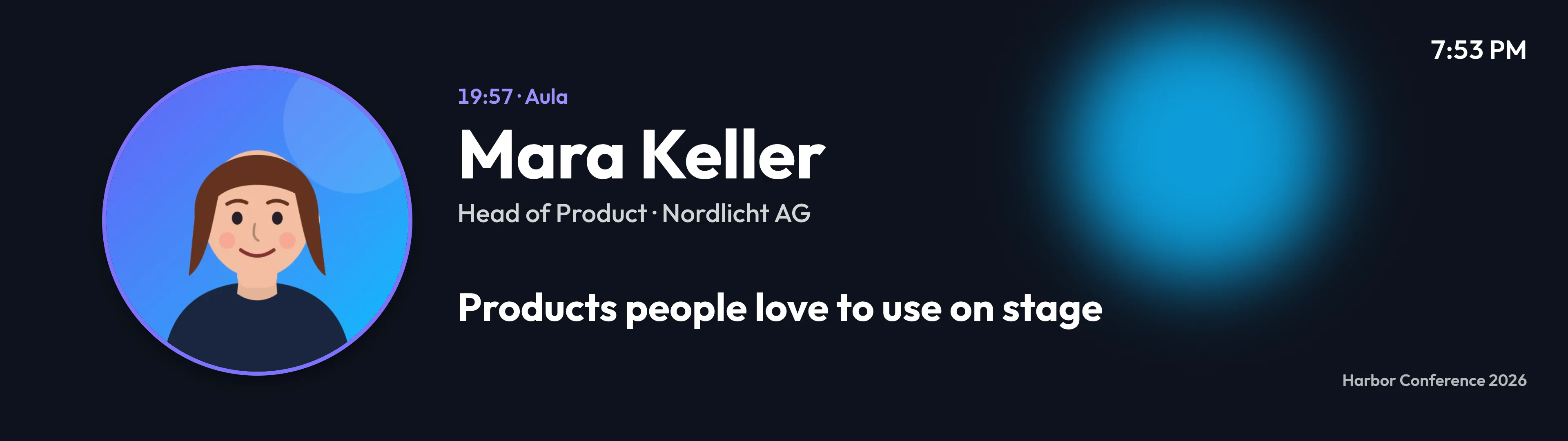
Design a template once, with blanks for the speaker, the title and the time. It fills from your program: an intro with the speaker’s portrait when a session starts, an “Up next” card with a live countdown between talks.
Interactive screens
Screens your visitors can use.
A screen can stop and wait for a visitor, then return to its program a few seconds after they walk away.
-
Touch
Visitors tap and swipe on a touch screen: stop the news, page through the items, open one to read it.
-
Hand gestures
With a webcam, a visitor’s hand becomes a pointer on the screen. A pinch, or holding still, chooses.
-
Choose a row
A row on the agenda board or any list becomes something to choose — by touch or by hand.
Live engagement
Your audience becomes part of the show.
Engagements
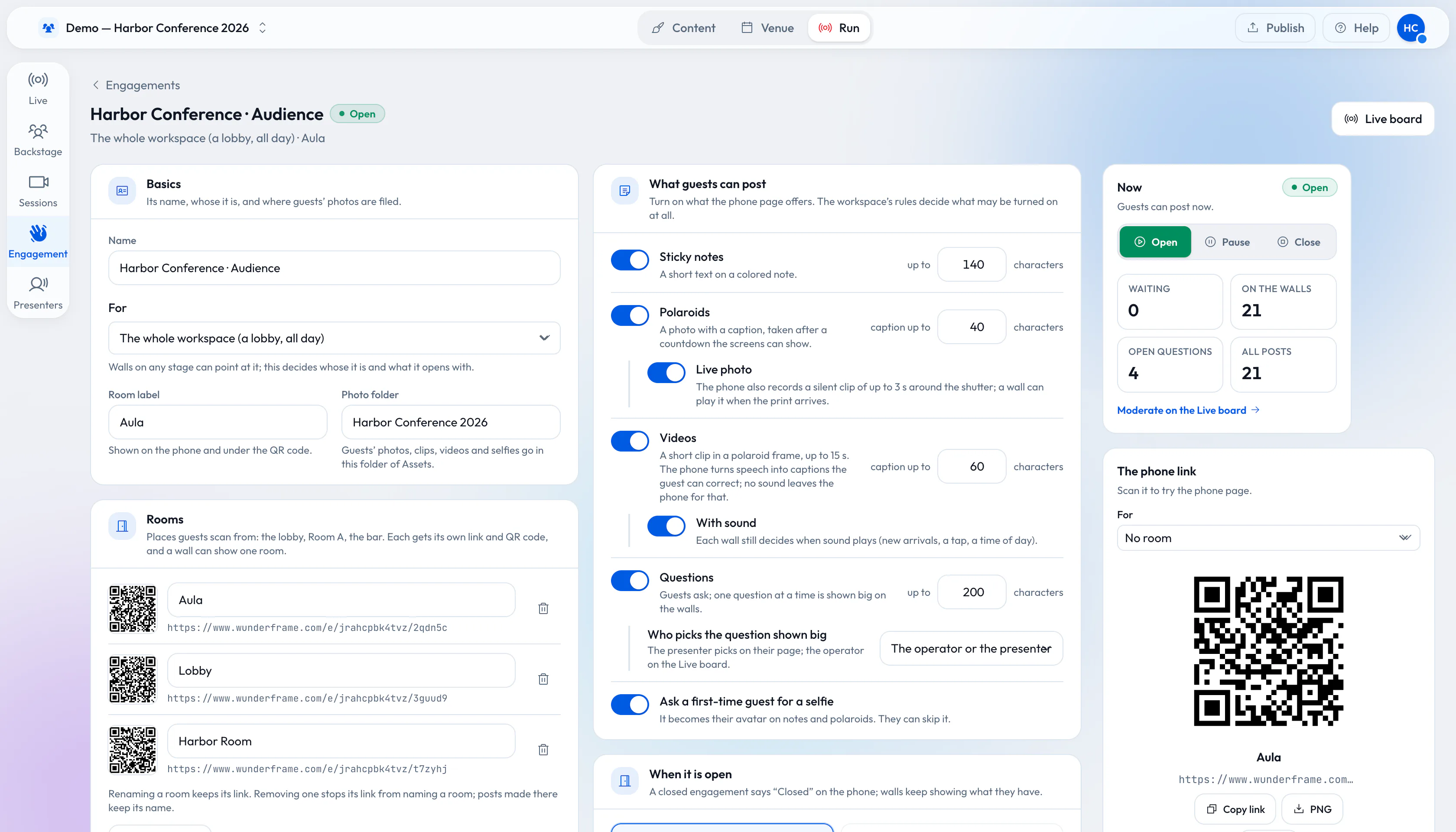
Open an engagement in a minute.
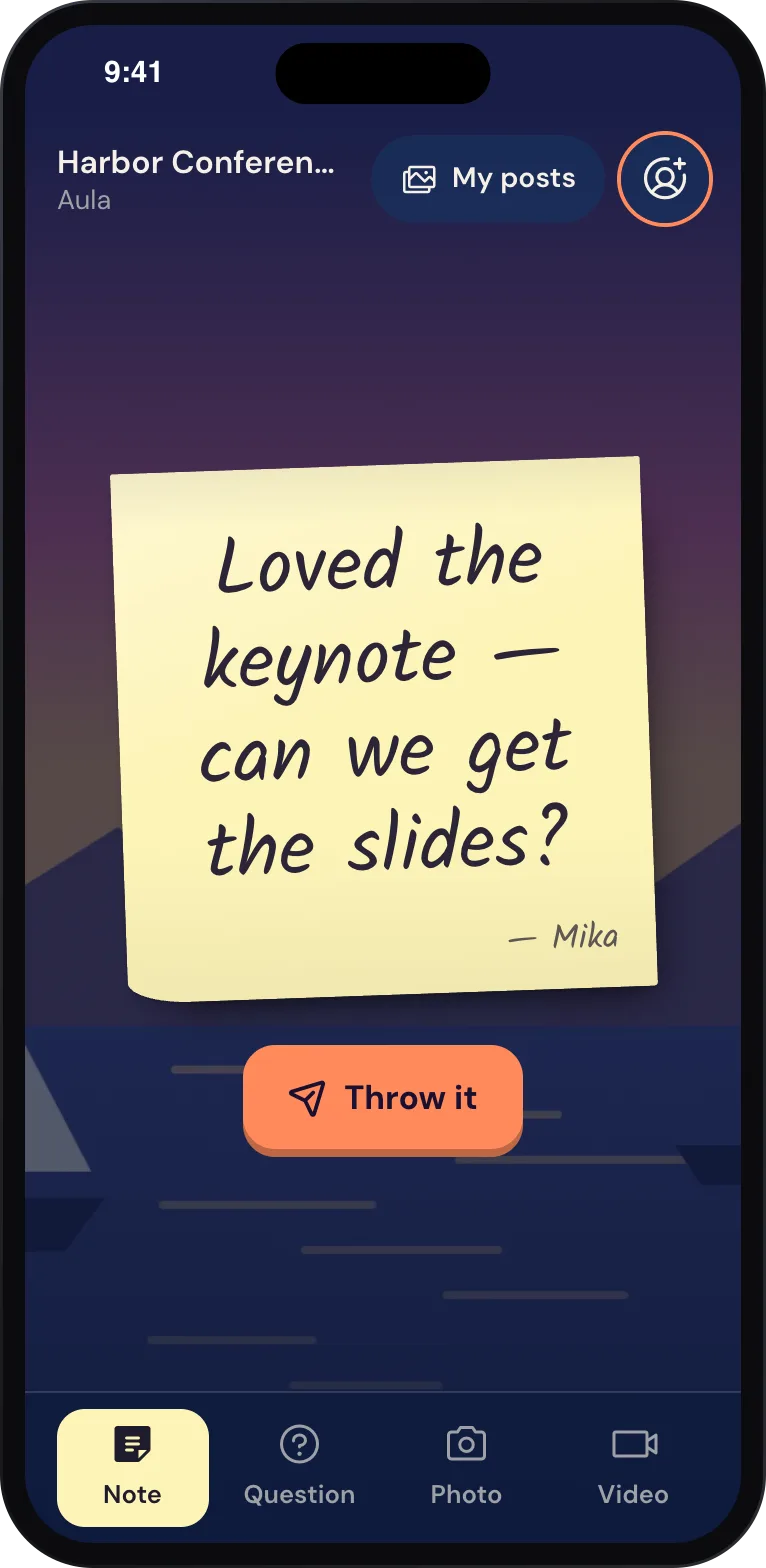
Choose what guests may send — sticky notes, questions, polaroids, Live photos, videos — and when the engagement is open. Each room gets its own QR code, and every wall can show one room or all of them.
- Moderation: open, approval first or an automatic check
- Consent text and how long posts are kept, set by the workspace owners
Guest pages
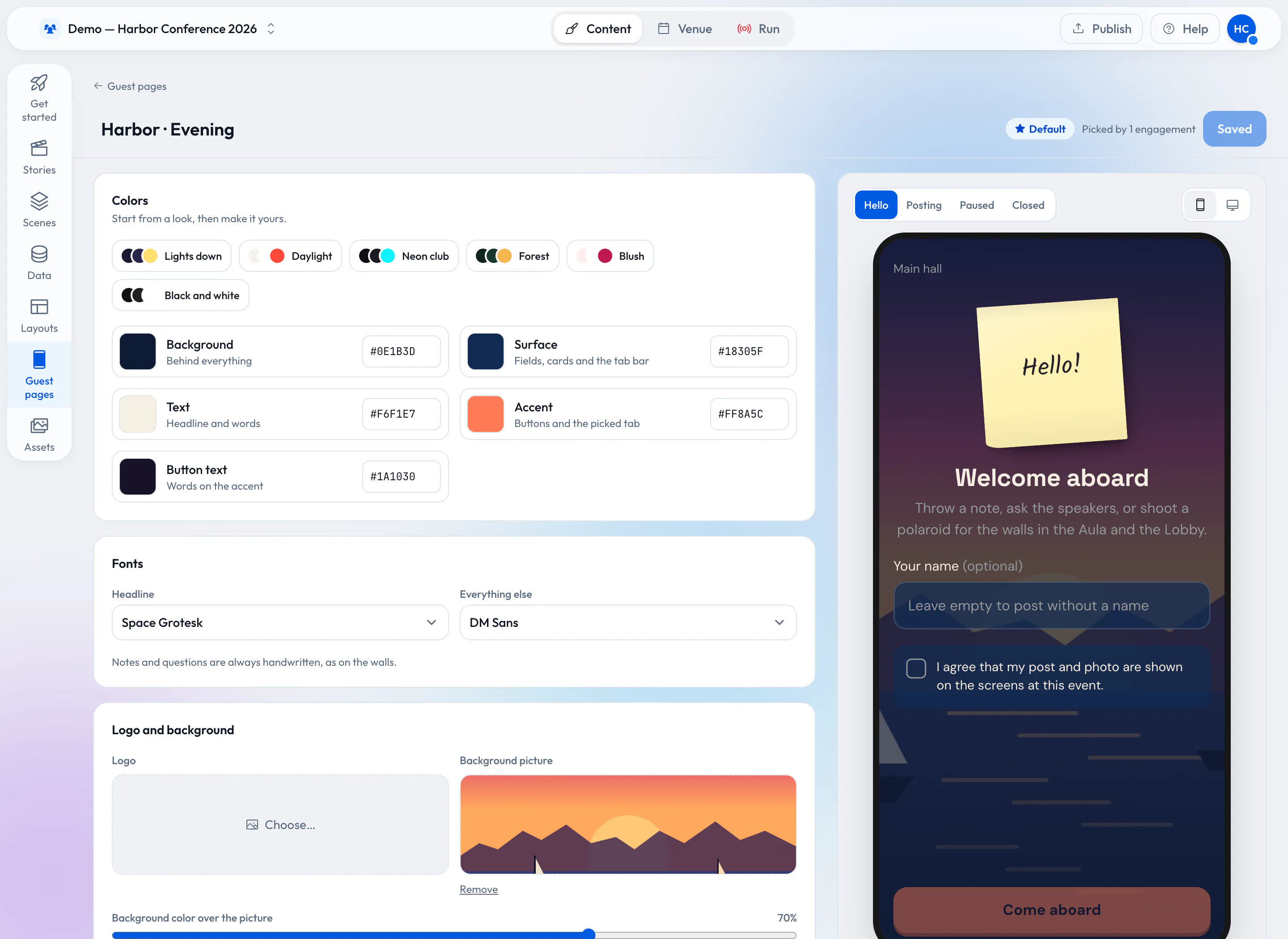
A guest page in your colors.
Pick colors, fonts and a background picture, write your own welcome and see it on a phone as you go. Guests see the page in English, German or French, and they never install anything.
Q&A
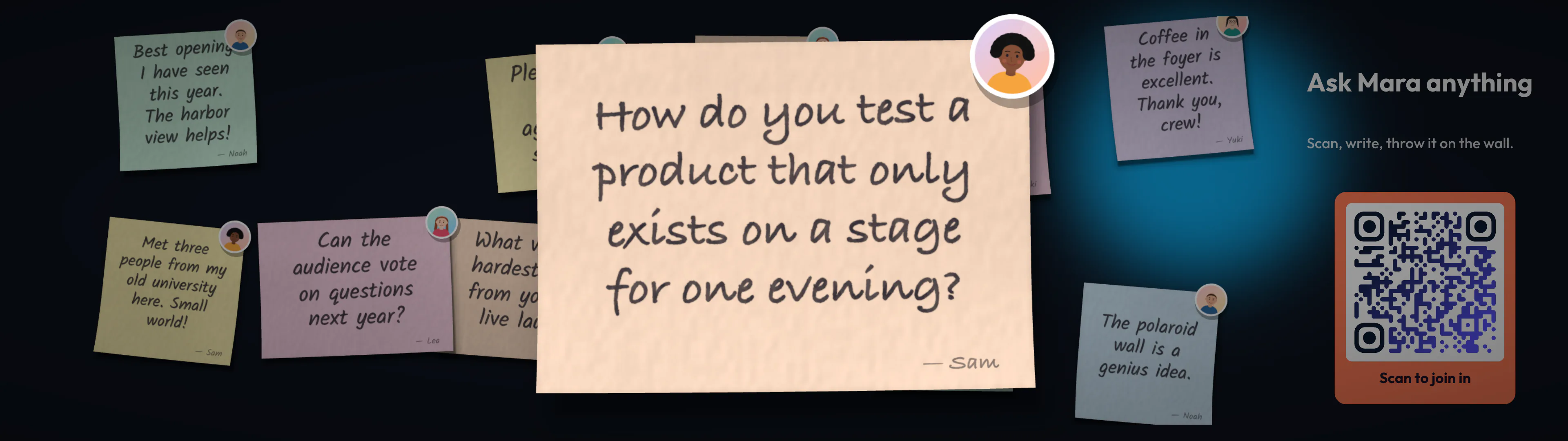
Put the best question center stage.
Questions arrive as sticky notes. The operator or the speaker picks one, and it zooms up big on the walls of the room for everyone to read.
Photos and videos
Videos with captions from their own words.
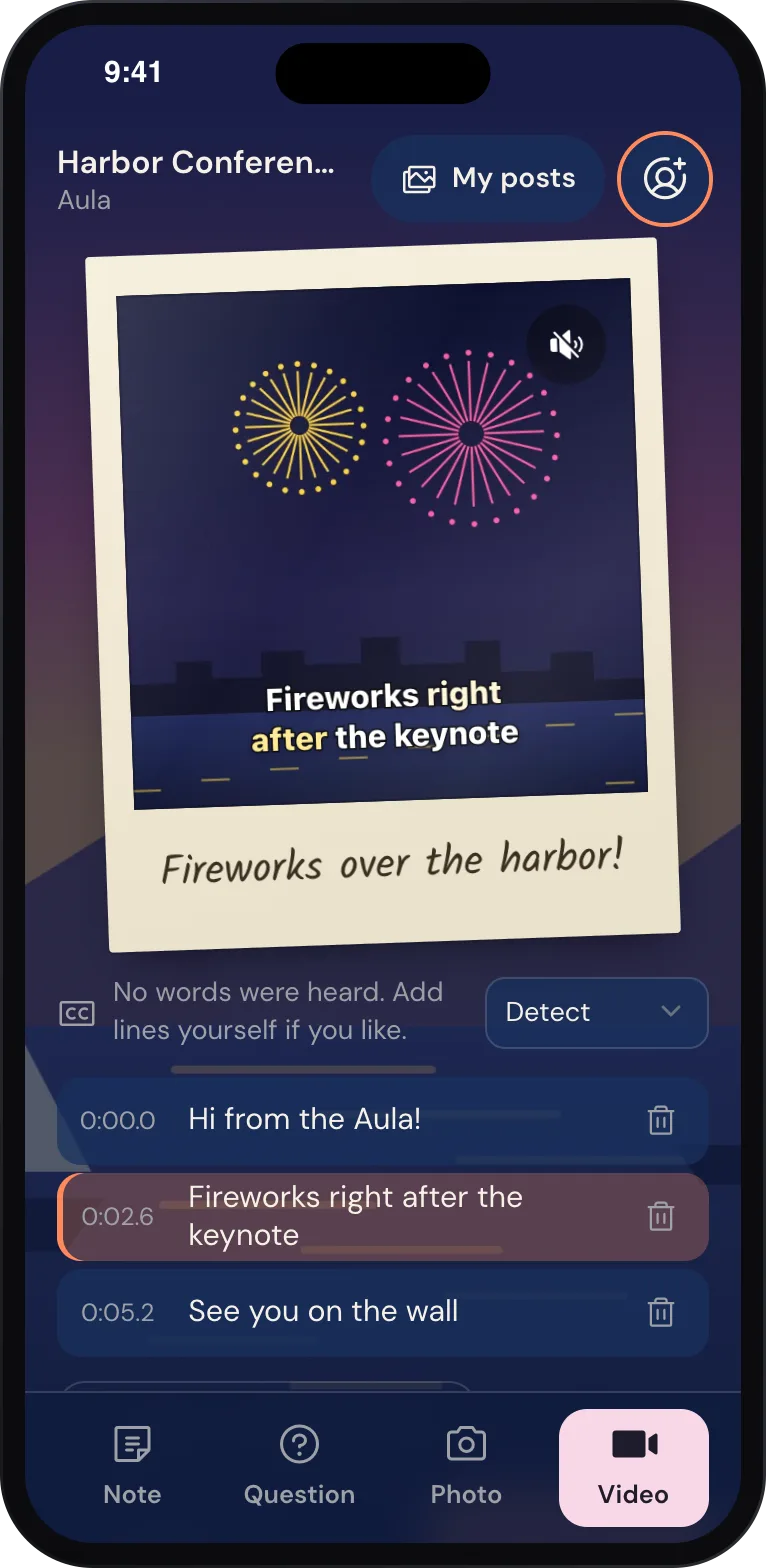
Guests shoot a polaroid, a Live photo that moves, or a short video. The phone turns what they say into captions they can correct before sending, and the wall plays them as timed lines.
Afterwards, guests can share their photos and videos straight from the page.
Where it plays
Plays on the screens you already have.
-
A web browser
Open the player link on any screen with an up-to-date browser, and pair it with its code.
-
Android TV
The Wunderframe app for Android TV boxes keeps the program and its media on the device.
-
Raspberry Pi
A small player behind any screen, installed with one script.
-
Walls in sync
Several screens play as one picture, in sync, each showing its part.
Open by design
Connect it to the rest of your event.
-
API
API referenceStages, stories, sessions and data have a documented API.
-
AI assistants over MCP
Connect an AI assistant and set up screens, stories and sessions together in a chat.
-
Custom renderers
Bring your own renderer for a screen that needs a look of its own.
Try it
See it on your own screen.
Create a free account, pair a screen with its code and put your first story on it.
Free while in early access.