Live engagementComparisonsCosts
Photo booth hire vs a photo booth on your screens
A hired booth gives you prints and great light. A polaroid wall gives every guest a camera and the whole room a show. What each costs and does, and when to use both.
The Wunderframe team 5 min read
A photo booth is one of the few things at an event that people actually queue for. It gives guests something to do, it produces pictures that get shared, and it makes the evening feel like a party rather than a meeting.
There are two ways to get one. You can hire a booth, a physical box with a camera, lights and often a printer. Or you can use the screens you already have: guests take the photo on their own phone and it appears on the big screen as a polaroid. This post compares the two honestly, including what the second one can’t do.
What hiring a booth costs in Switzerland
Published day prices from Swiss rental companies range from about CHF 189 to CHF 700 per day (die-fotokabine.ch, rentshop.ch, thephotobus.ch). Offers differ in what they include, so compare the details, not just the day price: delivery and setup, an attendant, how many prints, props and a backdrop, and an online gallery afterwards.
What a hired booth does well
- Prints. Something to take home in your hand is the one thing a screen can’t give you.
- Image quality. A proper camera and a lit backdrop take a flattering photo every time. A phone in a dark room doesn’t.
- A place. The booth becomes a spot in the room: props, a backdrop, a queue, laughter.
- No phone needed. Guests who don’t want to take out their phone can still join in.
A photo booth on your screens
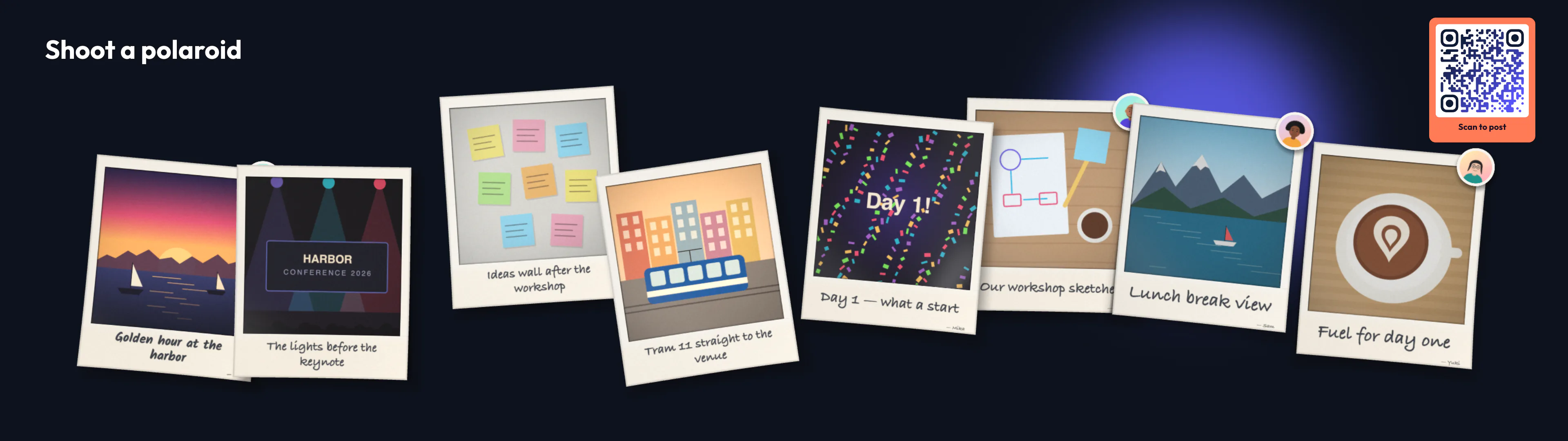
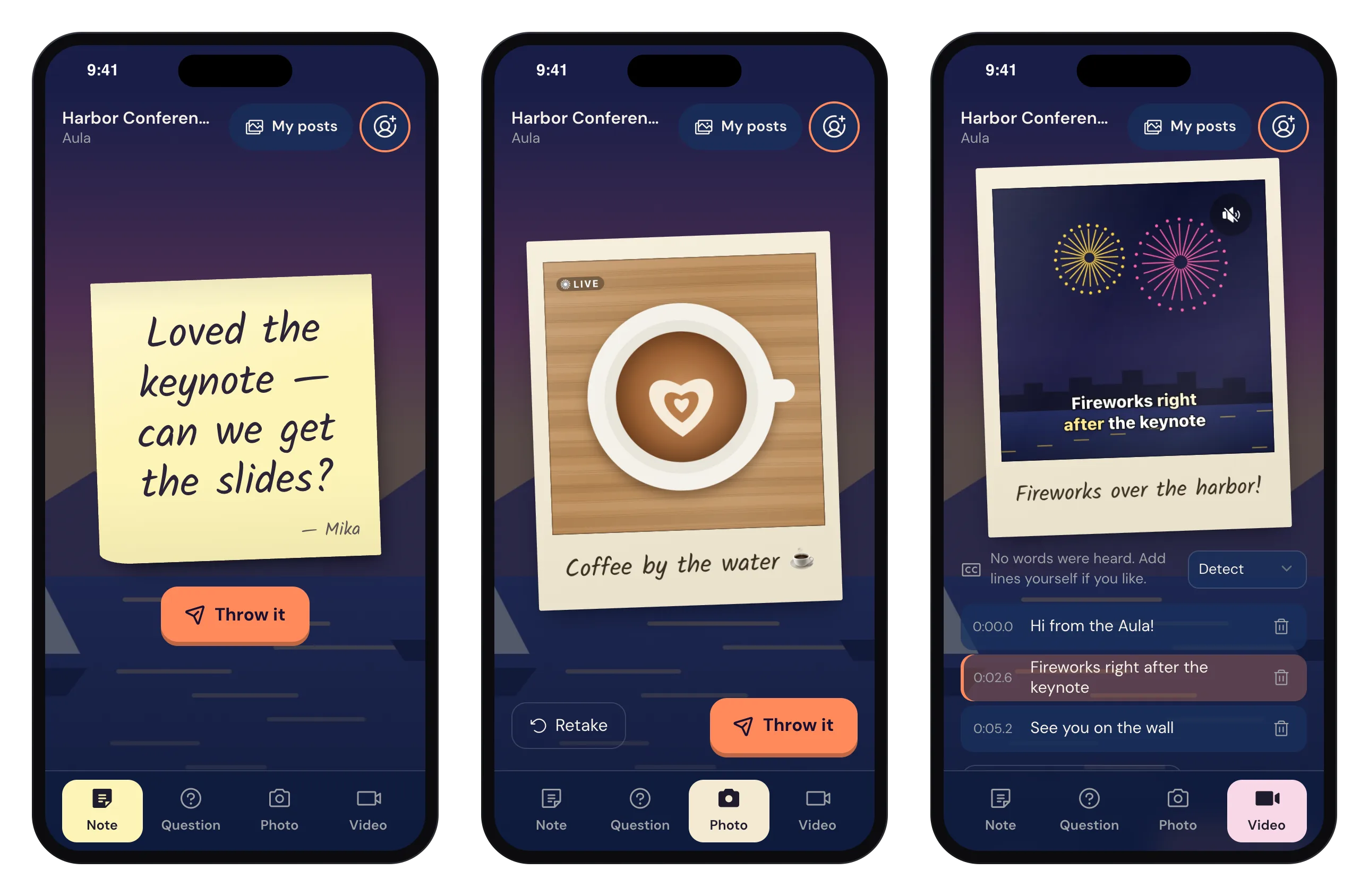
With Wunderframe, the camera is the guest’s own phone, and the “print” lands on the big screen:
- A guest scans the QR code on a screen. A page opens in their phone’s browser, with no app and no account.
- They press the shutter. The phone counts down three seconds, and at the same time the top edge of a polaroid peeks in at the bottom of the screen.
- The photo shoots up big in the middle of the wall, then settles in among the others. Prints develop in, age a little each, and hang with a pin on cork or with tape on a painted wall.
- The guest writes a caption on the polaroid’s strip, in handwriting.
With Live photos on, the phone also records a short, silent clip around the shutter, like on an iPhone, and the print on the wall moves now and then. Guests can also send a short video that plays in the same polaroid frame.
The polaroid wall on a wide screen. Every print is a guest’s photo with their caption.
Why it works with a crowd
- No queue. Every phone is a booth, so a hundred people can take a photo at once.
- The whole room sees it. A booth’s photos end up in a gallery that people look at the next day. On the wall, everyone sees them during the evening, on every screen that points at the engagement, the room and the lobby at once.
- Nobody is skipped. The wall takes turns. Each print gets a short, medium or long stay, new ones come first, and no one’s photo is left out.
- You choose what goes up. Posts can go straight up, or wait until an operator on the Live desk approves them.
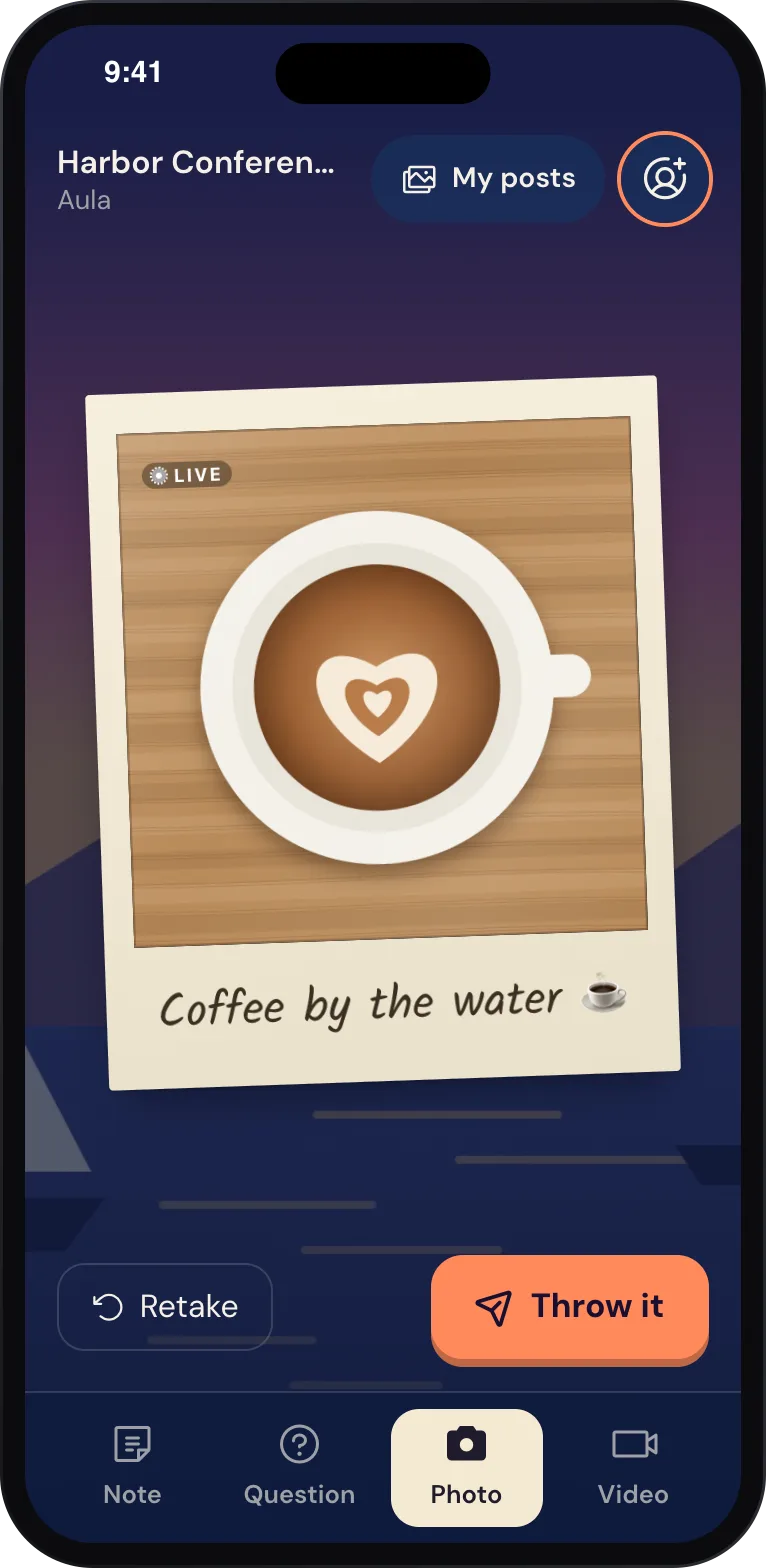
On the phone: the Live polaroid with its caption, then Throw it.
Privacy, built in
A photo wall shows people’s faces, so this matters. A workspace owner decides whether guests have to agree to a consent text first, and how long posts are kept. After that, photos and their files are deleted automatically. A guest’s name is optional. Faces are found on our own platform only to center the picture well, and no photo is sent to an outside service for that. More in Privacy.
Taking it home
A screen can’t print, but guests can keep their photo. After posting, and later from My posts, a guest can share their photo, Live photo or video through the phone’s share sheet, or save it. On the free plan the shared copy carries a small Wunderframe watermark. The wall always shows the clean original.
Side by side
- Prints in hand: the booth.
- Best image quality: the booth, with its own camera and lights.
- Many guests at once, no queue: the screens.
- The whole room sees the photos during the event: the screens.
- Several rooms and the lobby at once: the screens.
- Setup: a booth needs floor space, power and often an attendant. The screens need a QR code on a slide and a wall block in a scene.
- Guests without a smartphone: the booth.
A booth gives ten people a print. A wall gives the whole room a moment.
Getting good photos on the wall
- Light the spot. Phones take good photos in good light. Put the QR code where there is some: by the bar, at the entrance, next to the stage, not in the darkest corner.
- Give it a reason. A headline on the slide (“Shoot a polaroid of your table”) gets more photos than a code on its own.
- Pick how many prints show at once. A few large prints read from the back of the room. Many small ones make a collage.
- Match the time of day. The wall’s rules can change its settings over the evening, for example no video sound after 22:00, or silent walls while a keynote is live.
- Pause during the talks. An engagement can be paused: guests still post, and their photos appear once it is open again.
- Give the phone page your look. A guest page design sets the colors, logo, background and words guests see.
Or do both
They don’t compete as much as it seems. Hire a booth for prints at the party and put the polaroid wall on the stage screen during the breaks. Or, for a conference where a booth would stand unused all day, use the wall alone. When budget is tight, the wall runs on screens you already have.
Set it up
Create an engagement with photos on, put a QR code and a polaroid wall on a scene, and scan it with your own phone. The full walkthrough is in From QR code to polaroid wall. Plans are on Pricing. Start free and take the first polaroid yourself.
Related posts
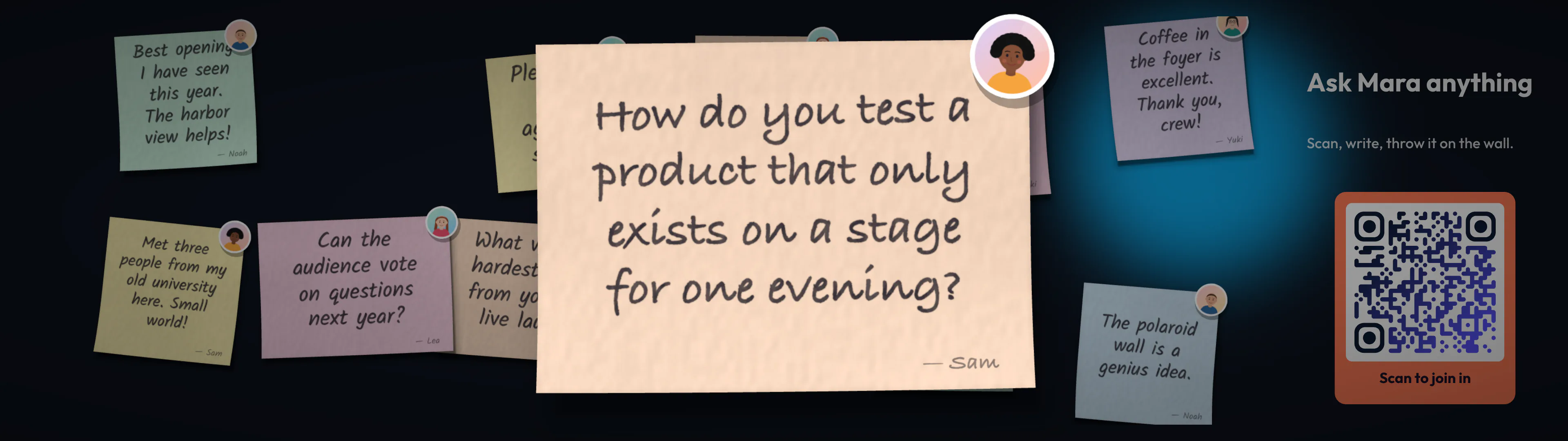
Slido, Mentimeter or Wooclap? Q&A for conferences
A fair look at three audience tools, what conference Q&A actually needs, and where showing questions on the venue’s own screens fits in.
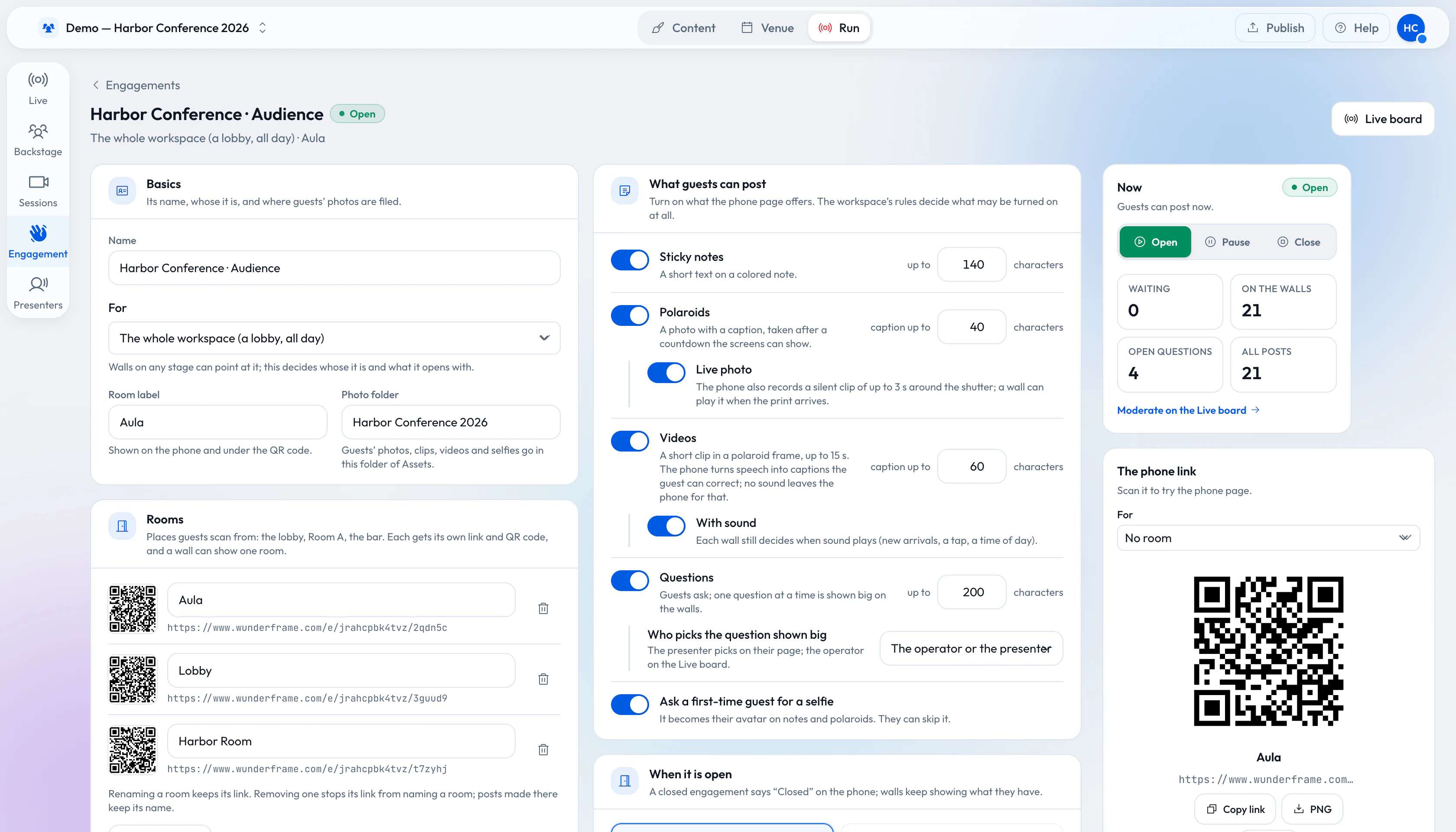
From QR code to polaroid wall: engage 1,000 guests without an app
A QR code, a phone browser and your screens. How to set up sticky notes, questions and a polaroid wall for a big crowd, and what changes when a thousand people post.
Accessible events: live captions on the phone and the big screen
Captions on guests’ videos, made on the phone and shown on the wall, a guest page that works with a screen reader, and what Wunderframe does not cover.