Digital signage with Wunderframe: not only for events
We are often asked whether Wunderframe is only for events. It is not: the same system runs the menu board, the reception screen and the shop window every day — and can turn an ordinary TV into a screen people use with their hands.
The Wunderframe team 5 min read
A question we hear a lot: “Do you also have something for digital signage, or is Wunderframe only for events?” It is a fair question. Most of what we show is event day: live speakers, a Q&A wall, a keynote across three screens.
The short answer: yes, Wunderframe is digital signage. Everything an event needs from its screens — the right content at the right time, screens that keep playing on their own, changes from the office — is exactly what a menu board or a reception screen needs every day. The event features are extra; you can leave them off.
What digital signage means here
A screen somewhere that shows something useful without anyone standing next to it: the menu above the counter, today’s visitors at reception, offers in the shop window, the canteen menu by the lifts, opening hours in a waiting room, the news and a TV channel in the break room. In Wunderframe each of those is a stage: a screen (or a wall of them) with its own program.
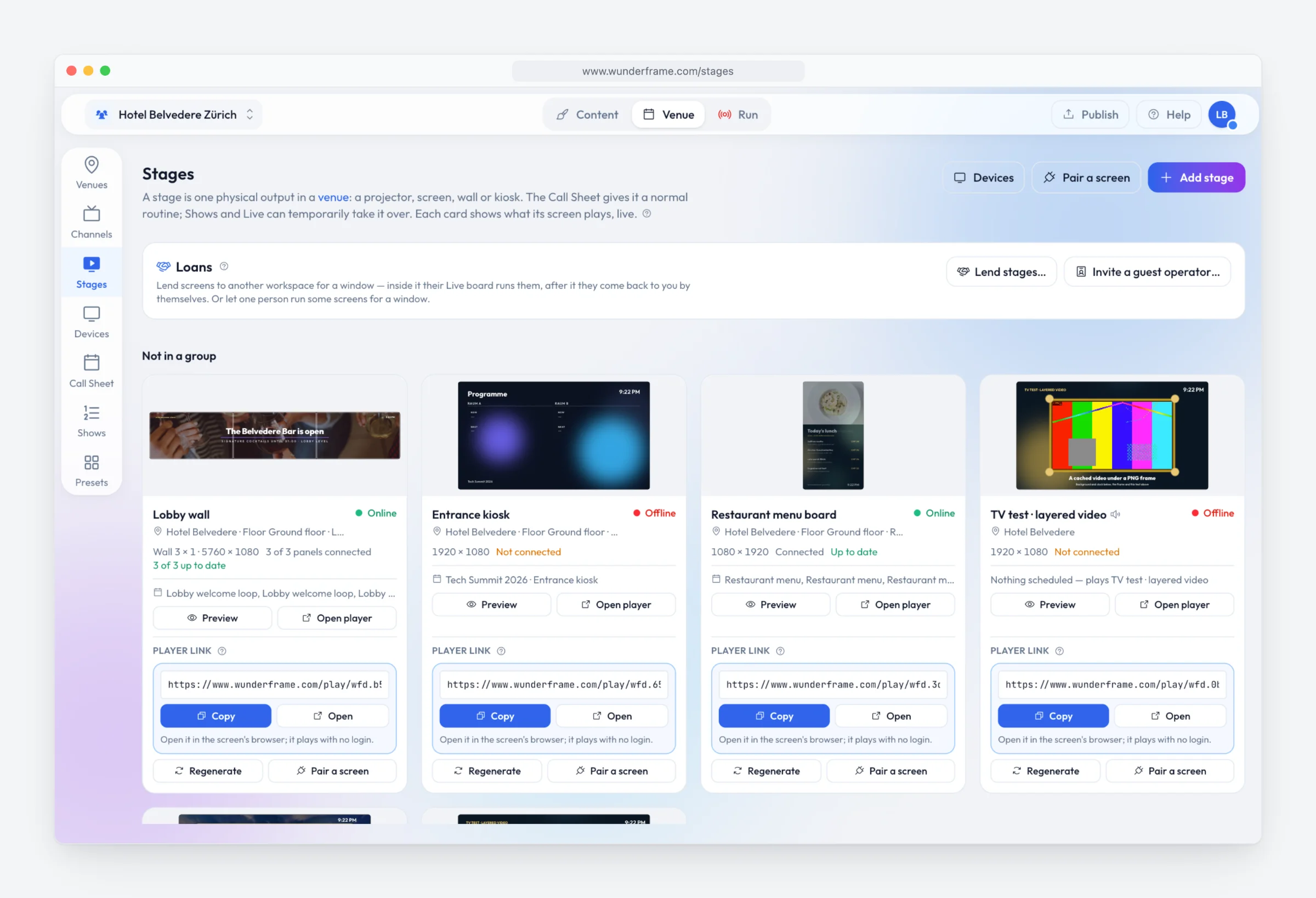
Every screen of a house on one page: the lobby wall, the entrance kiosk, the restaurant menu board and the TV.
The right content at the right time
Each screen plays what you schedule for it, and something sensible when nothing is scheduled, so it is never black. Rules then switch it by themselves: breakfast until eleven, lunch until three, the evening menu from six; a different loop on Sundays; the holiday notice between two dates. You can name parts of the day once, such as “evening”, and use them everywhere.
Rules can also read your data (“sold out”, “closed today”) and whether someone is standing in front of the screen. See Rules and What plays.
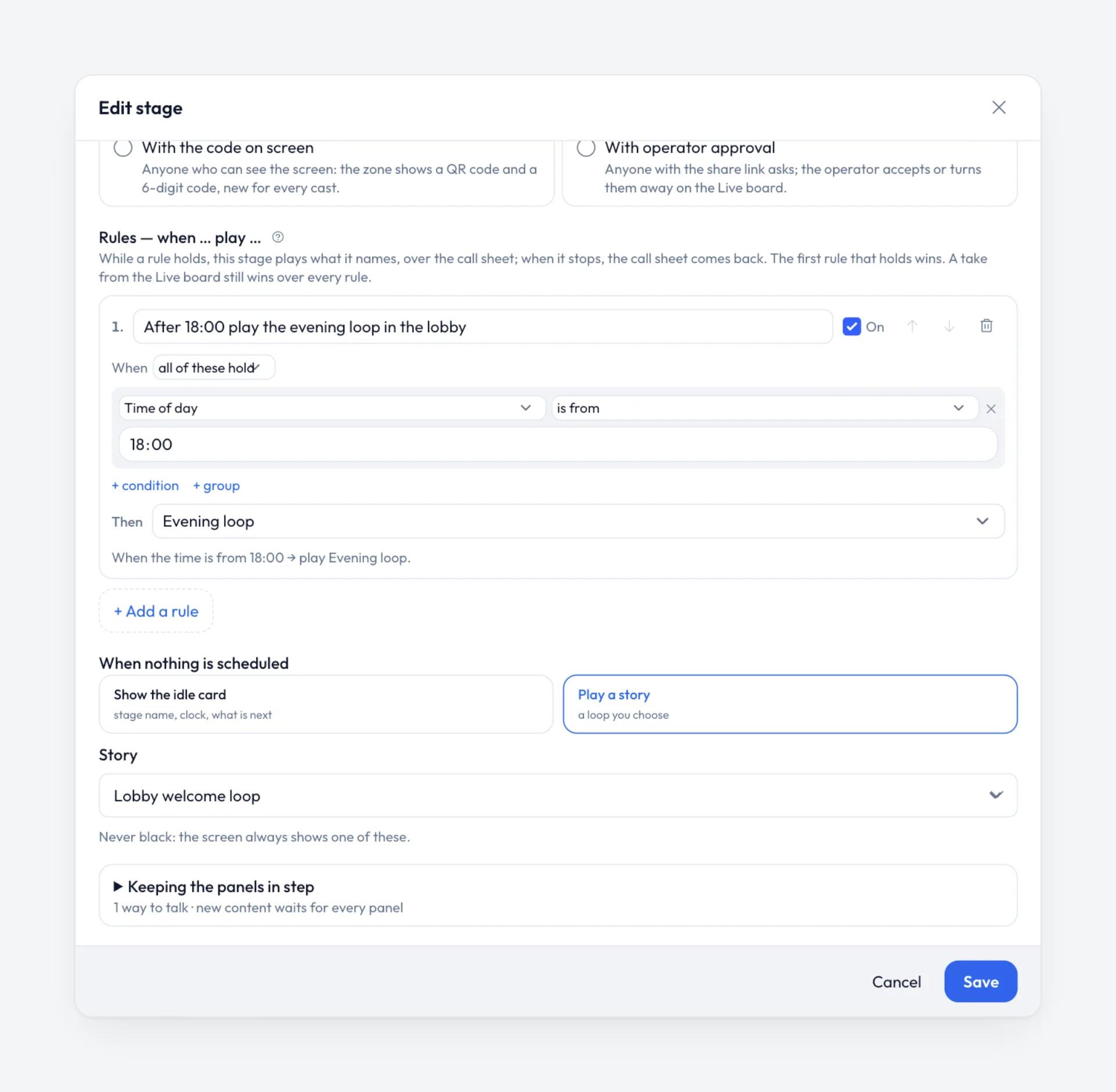
A rule on a stage: from six in the evening, the evening loop.
Change a list, not a design
Prices, menus and opening hours change more often than designs. In Wunderframe you design a screen once with blanks and fill it from a collection: typed in, uploaded as a CSV from Excel, or kept up to date from a news feed or a JSON address. Change a price in the list and every screen that shows it changes. See Data and templates.
Ordinary screens that react to touch and gestures
This is the part that surprises people. A signage screen does not have to be something you only watch. Turn on Visitors can use this screen on a stage and visitors can open a row for its details, swipe to the next one and go back:
- On a touch screen, they tap and swipe.
- On an ordinary TV, a USB webcam is enough. The visitor points at the screen with their hand and pinches, or holds still for a moment, to choose. No touch panel needed.
- When they walk away, the screen goes back to its loop by itself.
The same camera can also notice that someone is standing close and play something for them — a product film, a welcome, the way to the room — then return to the program. The camera picture never leaves the screen: it is not shown, stored or sent, and the screen does not recognize or count anybody. See Interactive screens and People in front of the screen.
Most people have never used a screen with their hands, so the screen shows them. Turn on Show visitors how on the stage and, while someone stands in front of it, a drawn hand appears over the program — lightly tinted, the screen blurred behind it — and raises, points, pinches and swipes, with a little screen that answers each gesture and a caption in German, English and French. The moment they raise a hand it fades away; nobody there, and the program plays clean. The title and every caption are yours to write.
For a design of your own — a corner of the screen, a strip along the bottom, your colours — the same guide is a block you place in a layout. See The gesture guide.
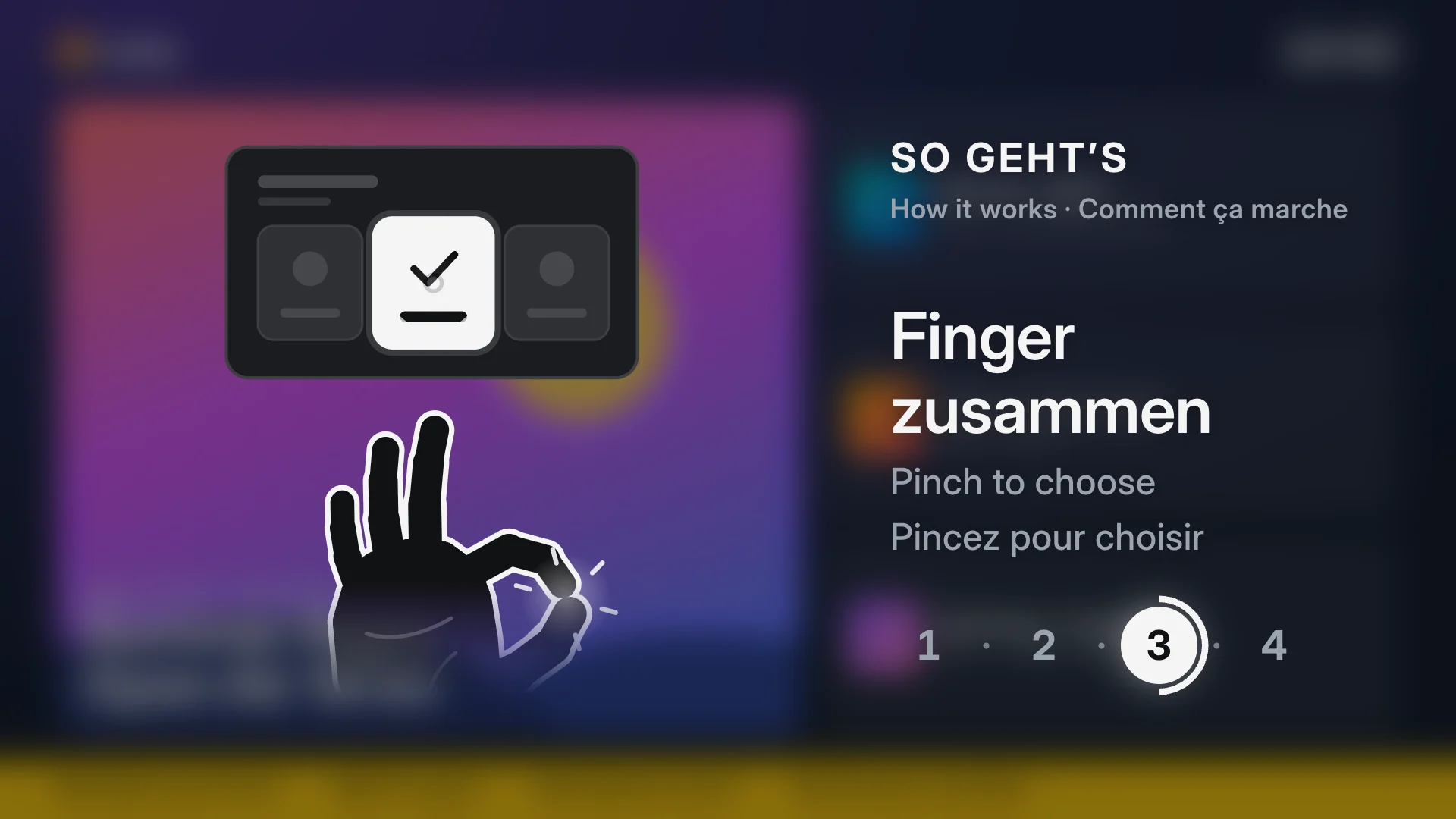
Someone stopped in front of the screen: it shows them how to choose, and gets out of the way when they raise a hand.
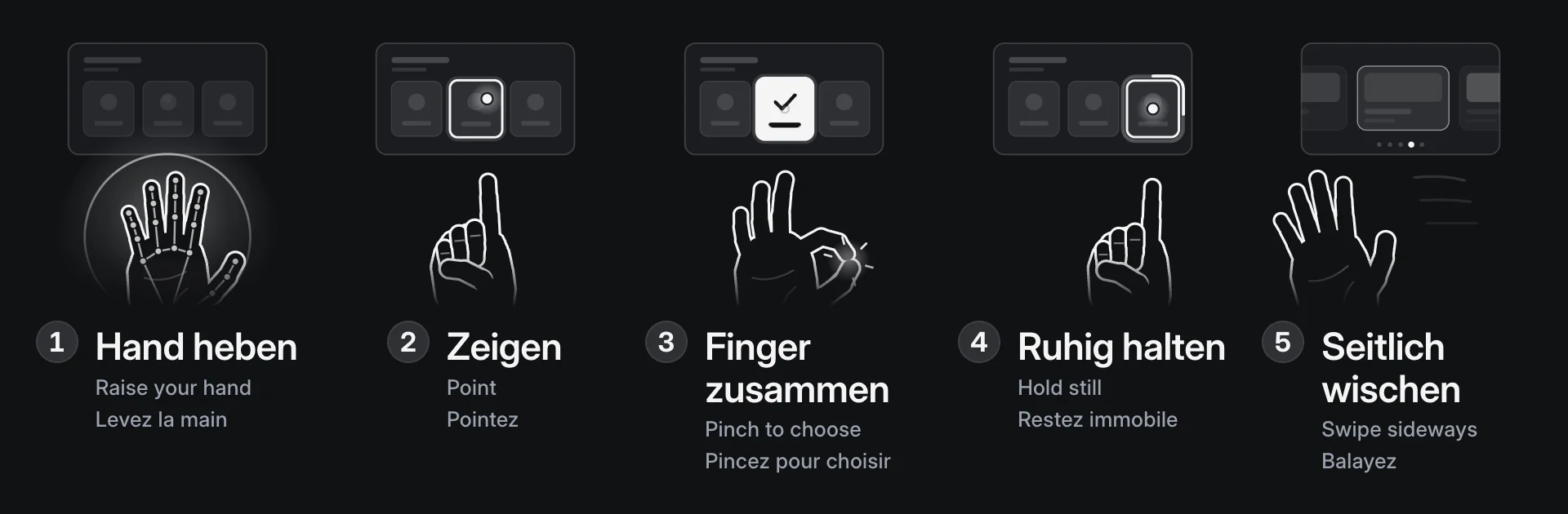
Raise, point, pinch, hold still, swipe — side by side for a strip along the bottom of a screen.
Screens you never have to visit
A signage screen hangs where nobody wants to climb. So everything is done from the office: which screens are online and what they play, a screenshot, a setting, a restart, or when it switches off at night. The content is kept on the device, so a screen keeps playing when the network goes down, and a player that crashes starts itself again. See Remote settings and Offline and caching.
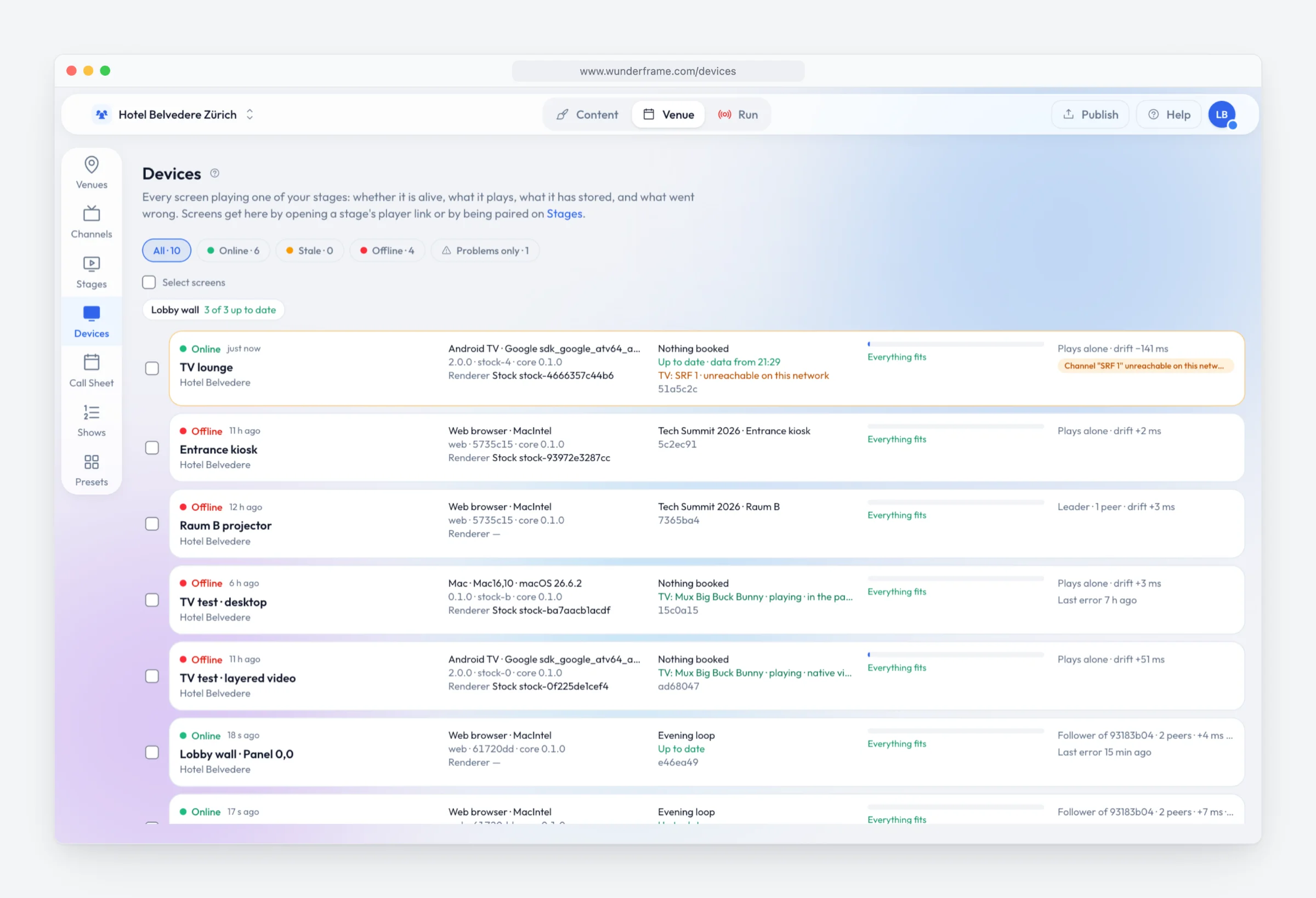
Every screen at a glance, with the problems flagged.
TV, portrait screens and walls
A lounge or a bar can play a live TV channel inside your own frame, with the time and your messages around it. A TV hung in portrait is turned in the software, so any box works (Mounting and rotation). And several ordinary TVs can play as one picture: see how to build a video wall.
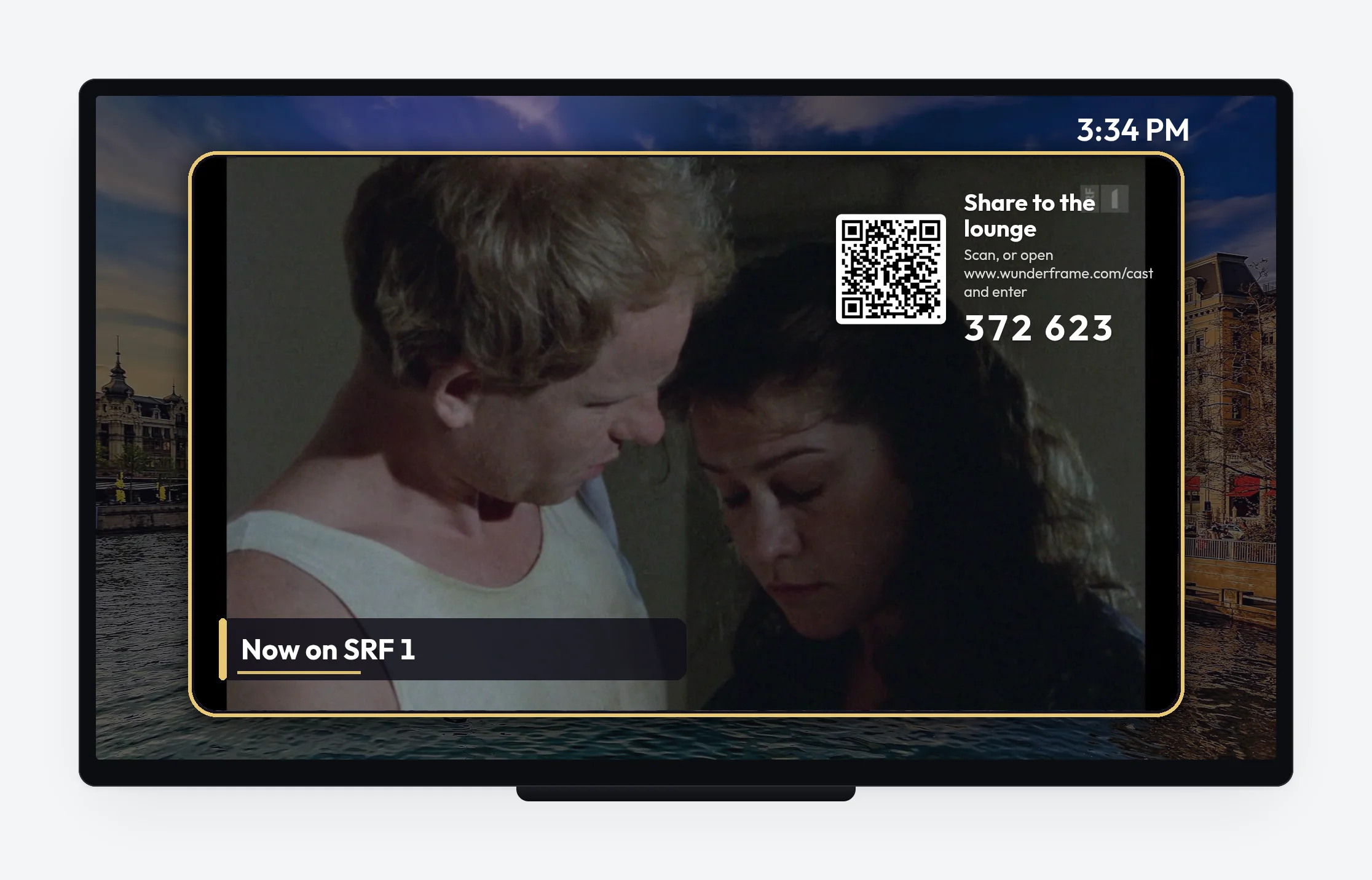
Live TV inside the house’s own frame.
What you need
The screens you already have, and a small player behind each: an Android TV box, a Raspberry Pi, a PC with the desktop app, or a smart display’s browser. Each pairs with a six-letter code. A webcam only where you want gestures or a screen that reacts to people. What it all costs is in our Swiss cost overview, and cheap players are covered in old TV boxes and Raspberry Pis.
And when an event does come to the house, the same screens can run it — that part is optional. The overview for everyday screens is on the digital signage page.
Related posts
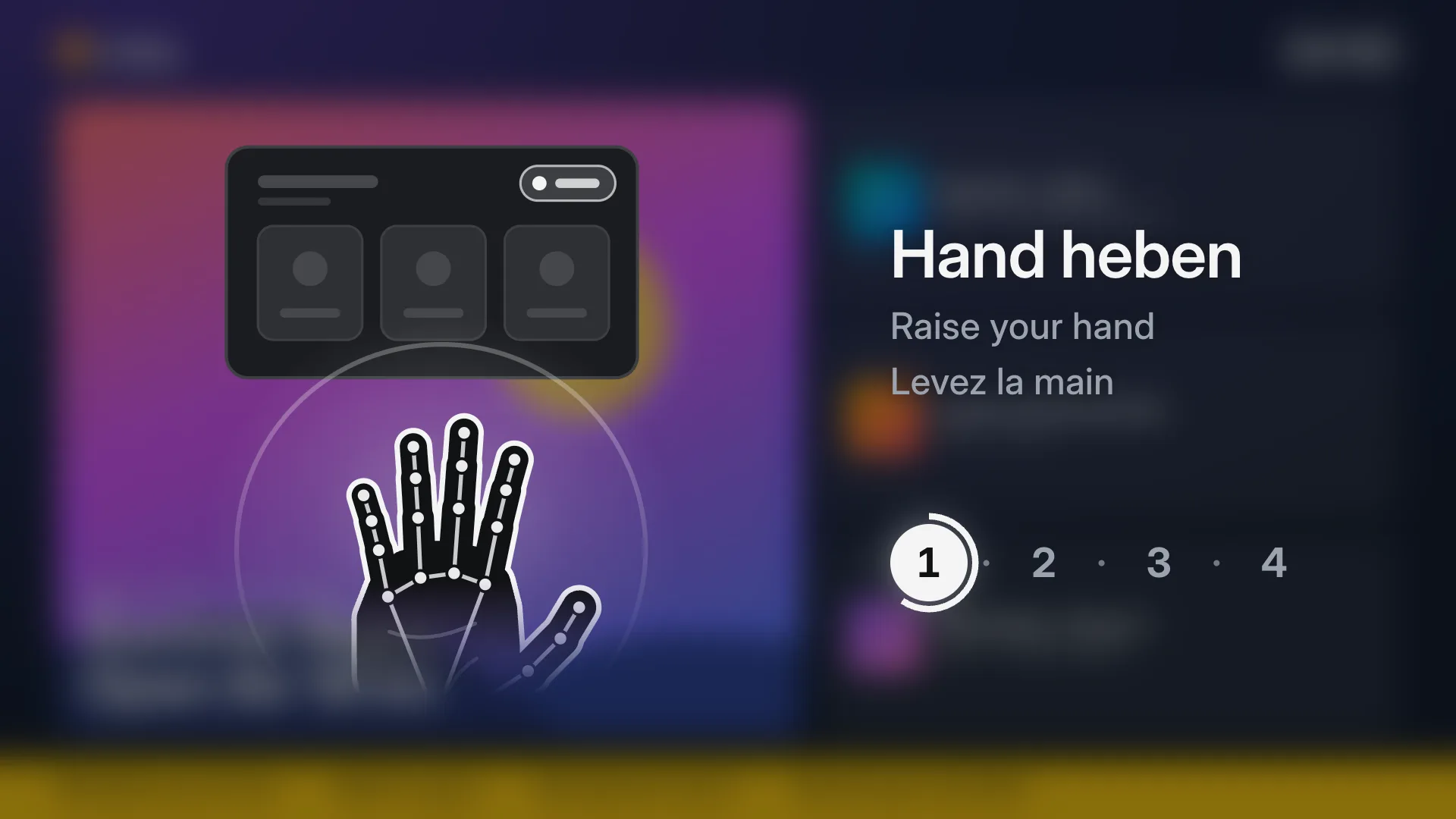
Screens you use with your hands: no touch, no app
Any TV and an ordinary webcam make a kiosk visitors use from a step away: raise a hand, point, pinch, swipe. How it works, what it needs, how people learn it, and how to set it up in four steps.
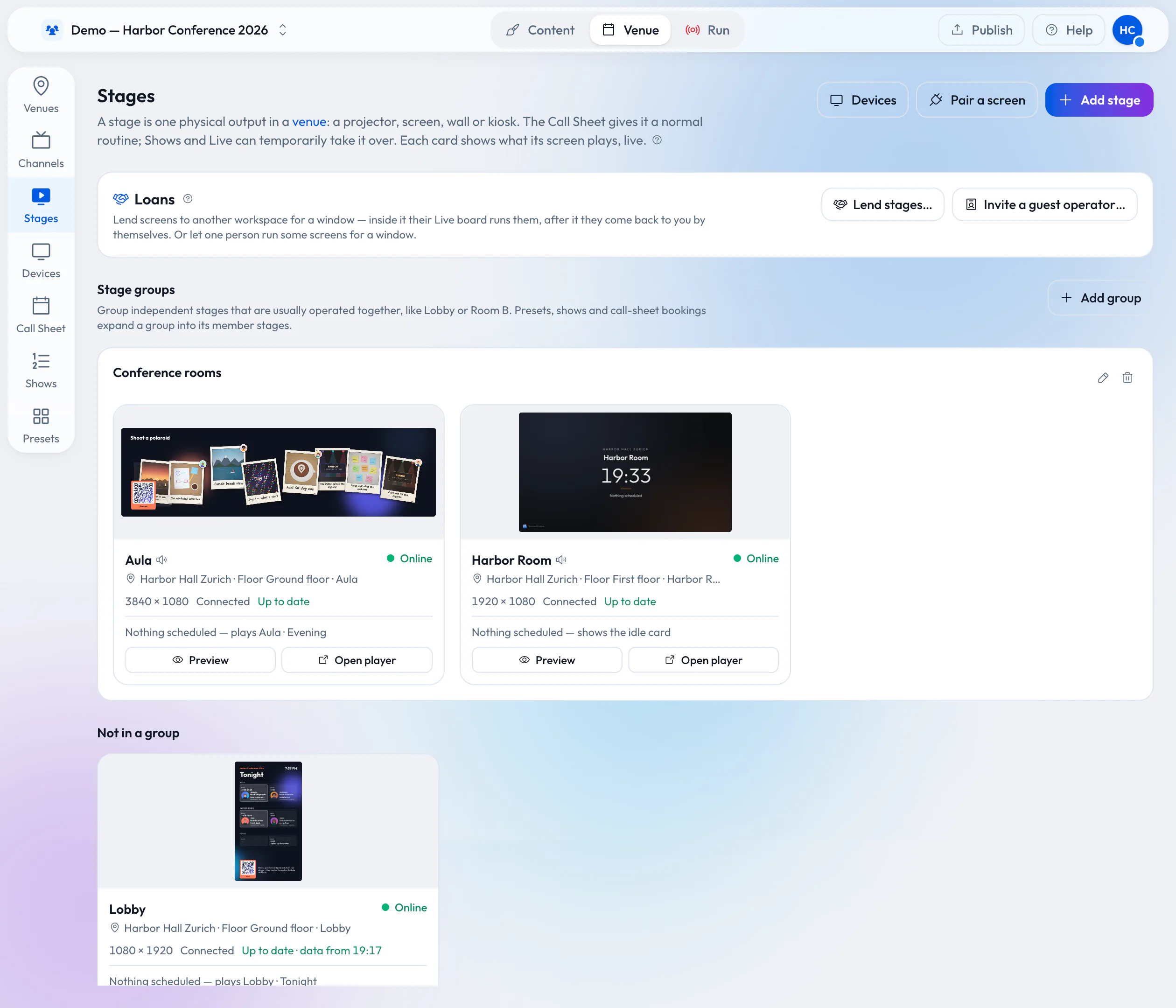
Lend your wired screens with the room
Your rooms already have screens on the wall. Lend them to the organizer who books the room: they prepare and run everything in Wunderframe before they arrive, nothing is wired on the day, and the screens come back to you when the booking ends.
What does digital signage cost in Switzerland in 2026?
Software subscriptions, all-in rental and the costs nobody lists. Published prices with their sources, and a five-screen, three-year example you can redo with your own numbers.