Event productionLive presenters
Running a conference from one live desk
A multi-room conference usually means a laptop per room and a lot of walkie-talkie. What changes when every room screen, the lobby and the audience’s questions run from one desk — and what still needs people.
The Wunderframe team 3 min read
A conference with several rooms has a familiar shape behind the scenes. Every room has a laptop wired to its projector, someone next to it, a slide deck per speaker and a checklist taped to the table. The lobby screen shows a PDF of the program that was right on Monday. When a talk runs late, the news travels by radio.
This post walks through the same day with every screen on one desk.
Every screen is a stage
Start by pairing each screen — room projectors, the lobby, the foyer — as a stage in the venue. Group the rooms that often change together. From then on each stage answers one question every few seconds: what do I show now, and why? A take by hand wins, then a rule, then the call sheet, then its idle card.
The desk
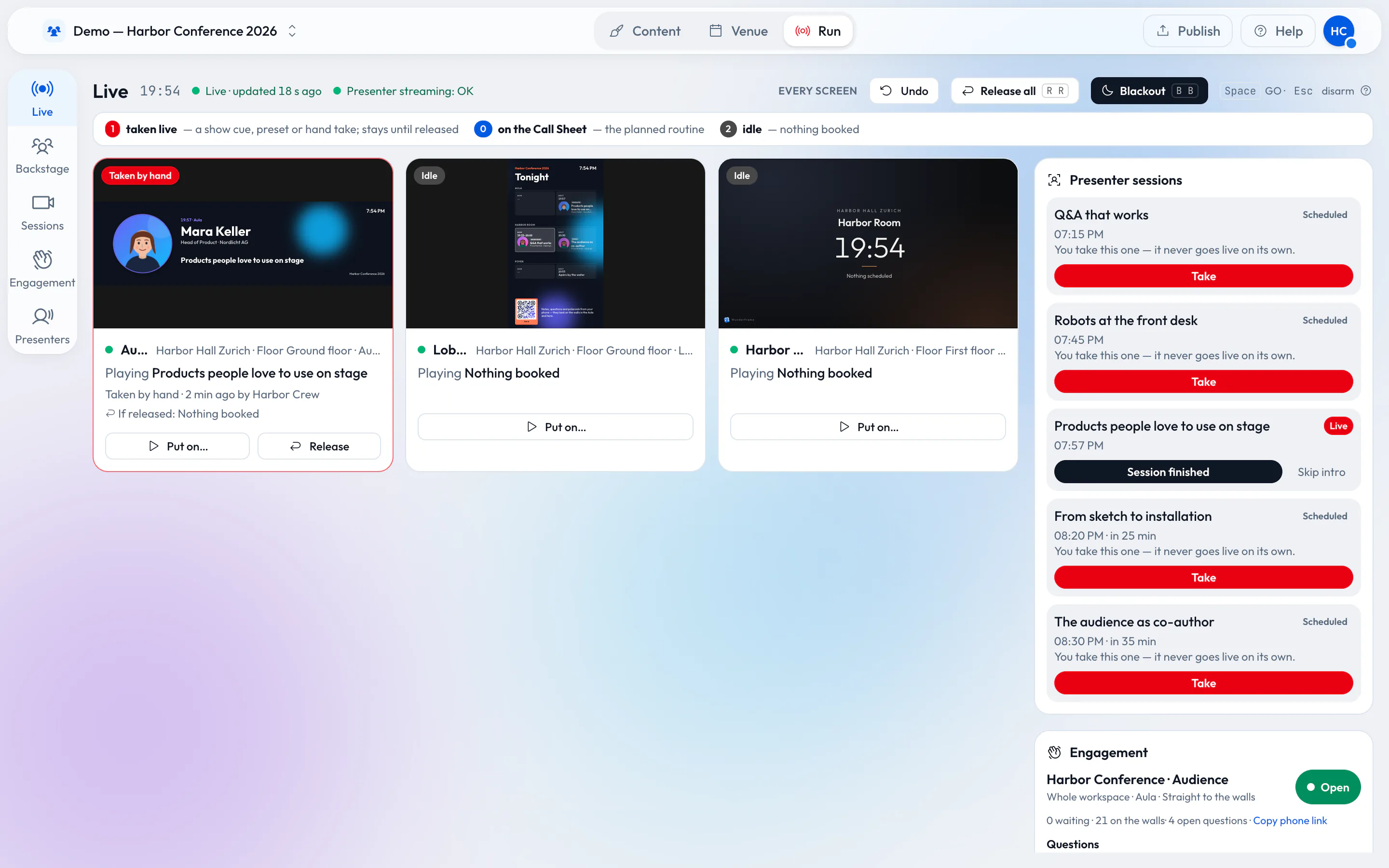
The Live desk shows every stage as a tile with what it plays, why and who holds it. From it you take a scene by hand, recall a Preset, run a show cue by cue, finish a session or black out a room. On a laptop you see every stage and every session side by side; on a phone it becomes a big GO button and the room you need.
The Live desk: every screen, the sessions to take and the audience.
The program keeps the lobby honest
Keep the program as data — typed in, a CSV or a JSON address — and let an agenda board show what is on now and next in every room by the venue’s clock. The same data fills speaker intros and an “Up next” card with a countdown in each room. When a session moves, you change a row and every screen follows. If you set up the templates once, as in One screen setup you can reuse for every client event, this is the part that pays off.
Speakers who aren’t in the room
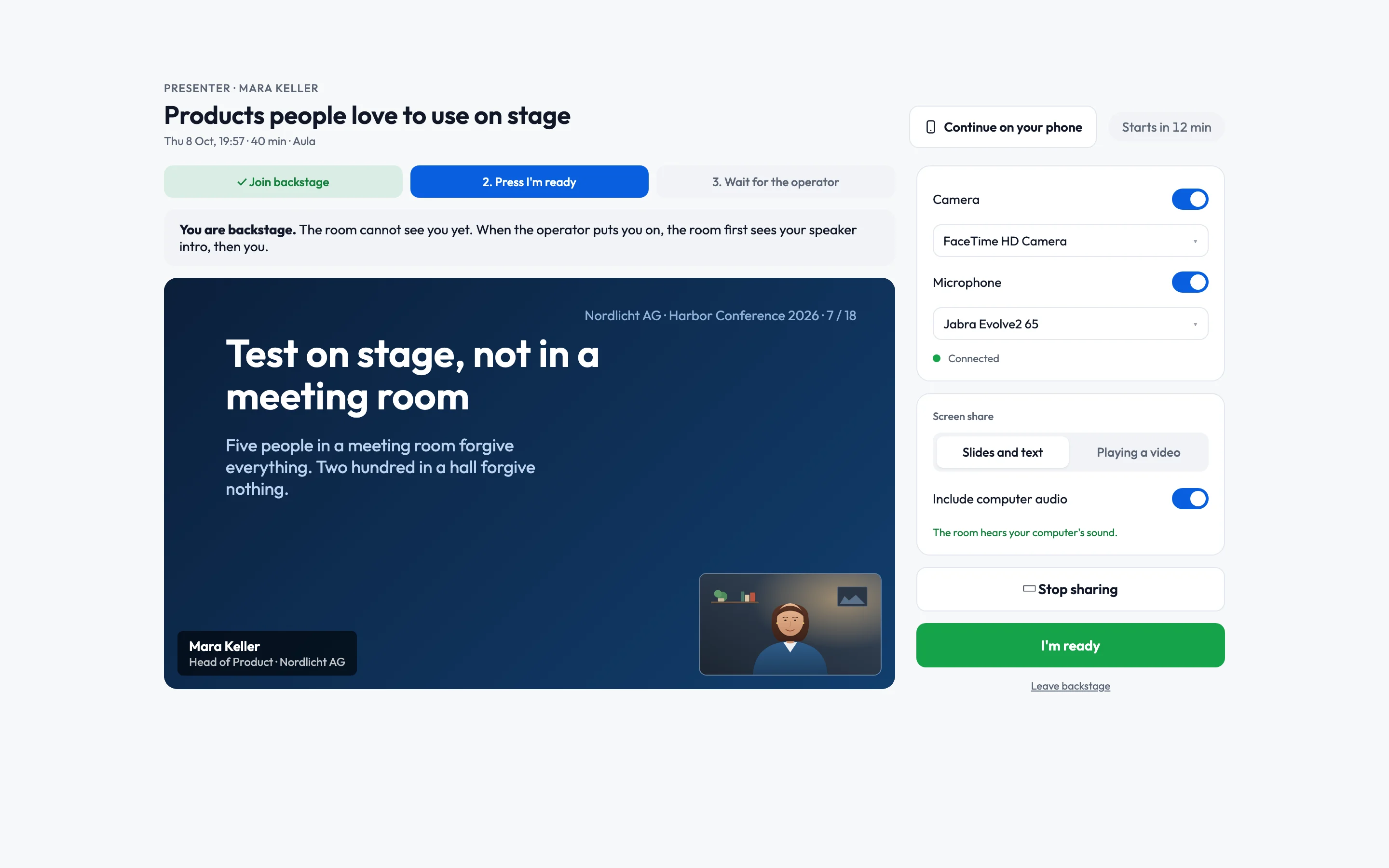
A remote speaker gets a personal link to their session. They open it in a browser, check camera and microphone in a waiting room and say they are ready. On the desk their session shows up with a Take button, and you put them on the room’s screen inside a slide you designed. They see a small picture of that screen while they are on. Rehearse with the same link days before, on a test stage if you like.
Questions from the room
Put a QR code on the room screen between talks. The audience sends questions and sticky notes from their phones, without an app or a login. Choose whether posts go up straight away or wait for approval. When the moderator or the speaker picks a question, it comes forward big on the room’s wall.
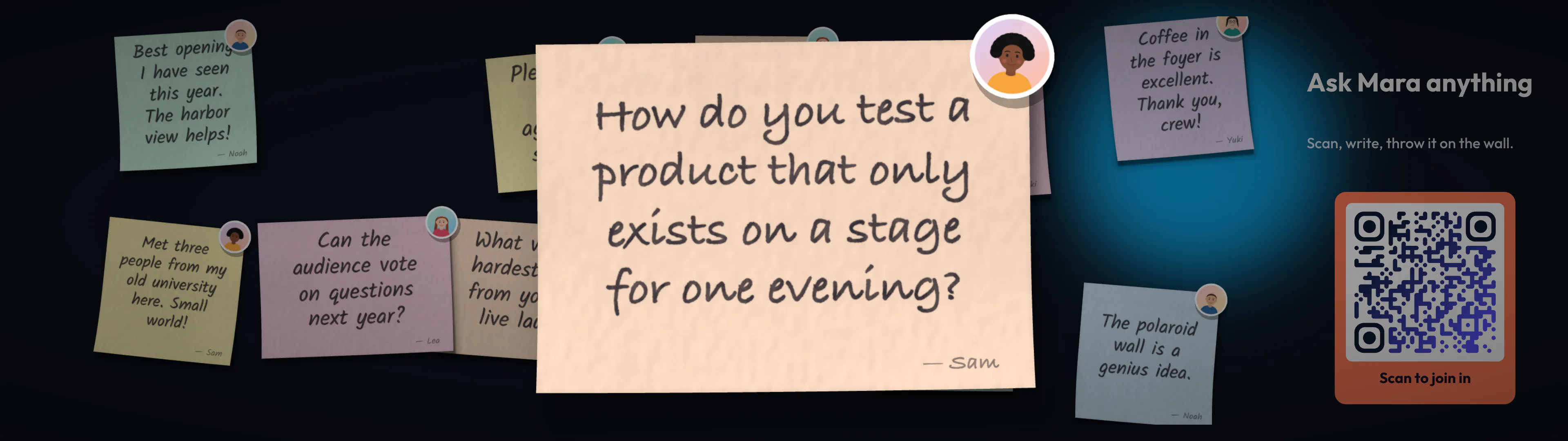
A picked question comes forward on the notes wall.
What still needs people
One desk does not make a conference run itself. Someone still decides when a session is over, talks to the speaker who is running long, and watches the room. Sound, cameras and lighting are separate. And live speakers need a steady connection at the venue. What goes away is the laptop per room and the guessing about what each screen shows.
Try it with one room
Pair one room screen and the lobby, import last year’s program and open the desk on your phone. More on Wunderframe for conferences and corporate events, and step by step in Schedule and go live and Presenters. Start free.
Related posts
Live speakers without surprises: a playbook for event managers
Rehearsals, the backstage link, a network you control, operators for every room and a Q&A that knows who picks the questions. What to prepare with your speakers before the day, and how the day itself runs.
How an event should really run
A wide stage screen, speakers who join from anywhere and an operator with a phone. For a conference, a wedding or a company evening in a rented venue, with little more than a browser, an Android TV box or a Raspberry Pi.
Keynotes that wait for the speaker
A morning of three keynotes in one hall, and why the screen should move on when a person is ready, not when a timer runs out. Timed stories and live sessions, and how to tell which one you need.